















SQL Server Performance: Tuning Methods that Acutally Work

Categories
- Free tools
- SQL Compliance Manager
- SQL Defrag Manager
- SQL Diagnostic Manager for MySQL
- SQL Diagnostic Manager for SQL Server
- SQL Diagnostic Manager Pro
- SQL Inventory Manager
- SQL Query Tuner for SQL Server
- SQL Safe Backup
- SQL Secure
- SQL Workload Analysis for SQL Server
- Uptime Infrastructure Monitor Formerly Uptime

Out-GridView with Custom Columns
Out-GridView can be a universal dialog when you use the -OutputMode or -PassThru parameters. When you do, a grid view window displays additional buttons in its lower right corner so you can choose items and pass them on to additional cmdlets. This line could help...
Converting Ticks to DateTime
Occasionally, date and time information are stored as “Ticks” in the format of a so-called “FileTime”. Ticks are 100-nanosecond units since 01/01/1601. Active Directory internally uses this format, yet you can also find it elsewhere. Reading Windows Installation Time...

Finding and Fixing Locking Issues on SQL Server Databases
In SQL Server, locking helps improve efficiency by preventing resources from being used simultaneously by different transactions. Issues with SQL Server locking can adversely affect the performance of SQL Server databases. In systems that have many users, the...

Top 5 Reasons for Slow SQL Server Queries and How to Fix Them
Slow SQL Server Queries are a common issue among database administrators (DBAs). You would be hard-pressed to find a SQL Server DBA who was not interested in improving the performance of their databases and applications. Slow response time can impact database...
Unlock Additional PowerShell Modules in Windows 10
PowerShell Modules in Windows 10 for Server Management Windows 10 comes with a number of PowerShell modules that you can use to control Server functionality - like WSUS Update Management which is only one example of many. In earlier Windows 10 builds, these PowerShell...
Exporting CSV without Quotes (and Other Conversion Tricks)
PowerShell comes with a bunch of Export- and ConvertTo- cmdlets so you can serialize object data to CSV, JSON, XML, and other formats. That’s great but it is not hard at all to create your own export functions. Export-Csv in Windows PowerShell For example, Export-Csv...
What Is Non-Uniform Memory Access (NUMA)?
Bare metal to cloud hosted virtual machines Non-Uniform Memory Access (NUMA) is a four-letter word in every sense, well beyond simply the number of characters in the acronym to many data professionals, particularly those in an operational database administrator (DBA)...
Using BITS to Download Files (Part 1)
What Is BITS (Background Intelligent Transfer System)? BITS (Background Intelligent Transfer System) is the technique used by Windows to download huge files such as operating system updates. You can use the same system, too, to download large files. As an extra...
Repairing Install-Module (PowerShellGet)
With Install-Module, you can easily download and install additional PowerShell modules from the PowerShell Gallery (www.powershellgallery.com). However, on Windows systems this command may be broken. Many Windows systems still ship with the outdated version 1.x, and...
Identifying Performance Problems Part 1
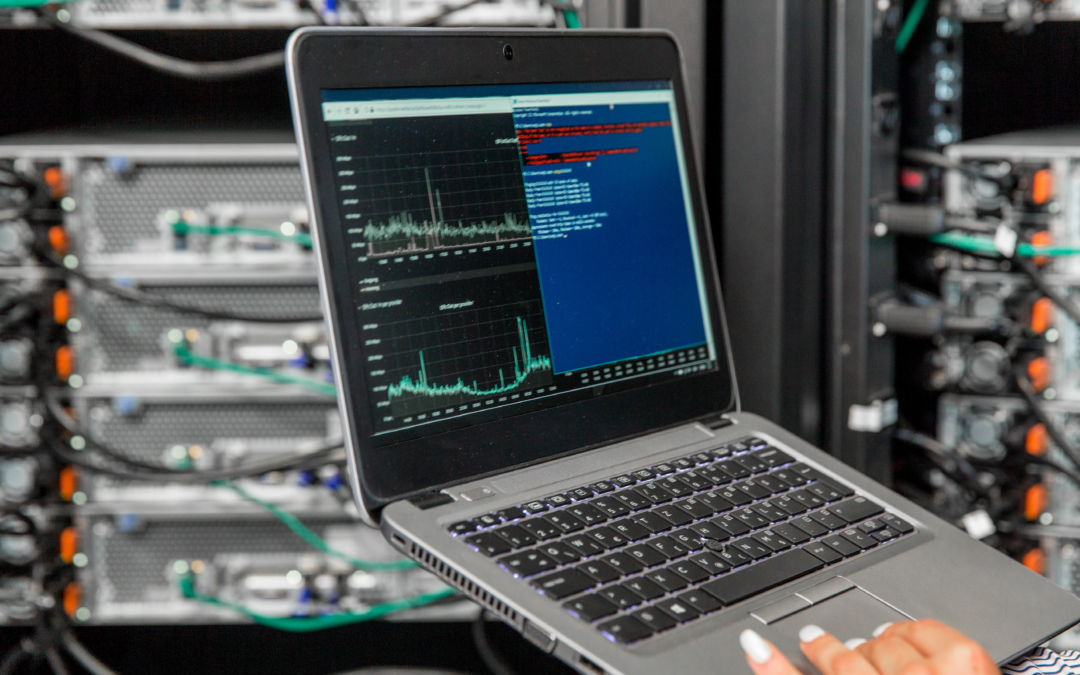
Every server, database, storage appliance and network encounter some sort of performance issues. It is a major part of our job as database administrators to properly monitor and fix those performance issues whether it is in your traditional on premises environment or...
Identifying Name of Local Administrator Account
Occasionally, PowerShell scripts need to access or use the built-in Administrator account or the built-in Administrators group. Unfortunately, their names are localized, so their names can change based on the language of your Windows operating system. SIDs (security...
How to analyze the health of SQL Server database indexes
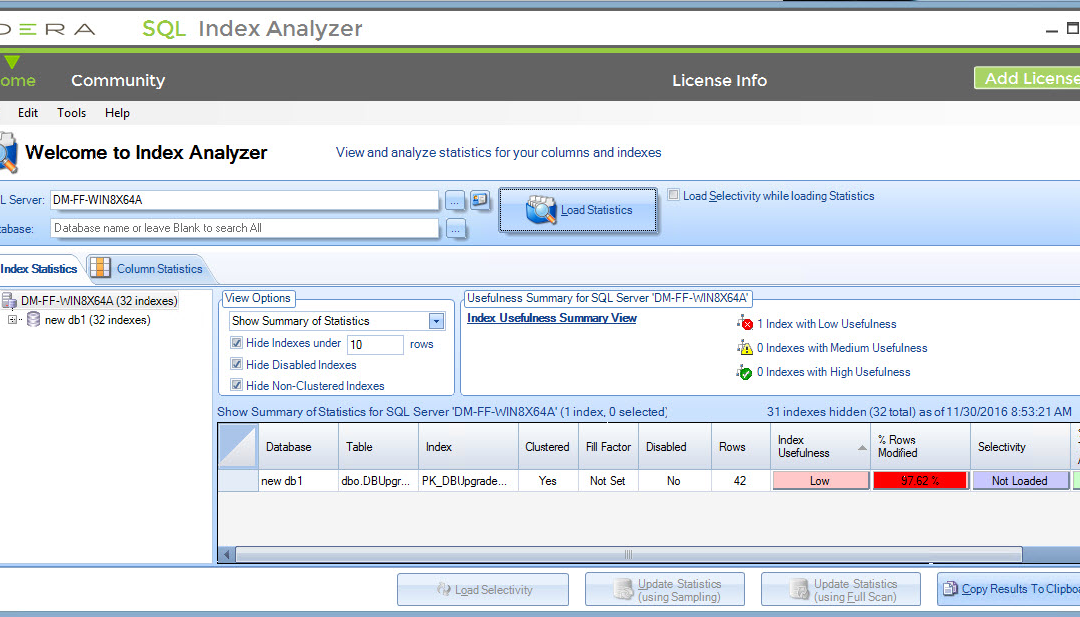
To keep databases running smoothly, it is important to evaluate the properties and performance statistics of indexes of databases. For this purpose, display these statistics of indexes: The percentage of rows modified since statistics were last updated. The percentage...
Reading Last Logged-On User and Other Registry Values
Reading some registry values with PowerShell is typically a snap: simply use Get-ItemProperty. This snippet of code reads the Windows operating system details, for example: $Path = "HKLM:\SOFTWARE\Microsoft\Windows NT\CurrentVersion" Get-ItemProperty -Path $Path |...
Converting File Paths to 8.3 (Part 1)
Why Short Path Names Still Matter Many years ago, file and folder names had a maximum of 8 characters, and these short path names still exist. They can even still be useful: short path names never contain spaces and other special characters and therefore never need to...
Updating Help without Admin Privileges
In Windows PowerShell, updating help used to require Administrator privileges due to a design flaw: help had to be stored in the location where the modules resided. Updating help for Microsoft modules which are stored inside the Windows folder required write access to...
Setting and Clearing Trusted Hosts
PowerShell remoting maintains a list of trusted IP addresses and/or machine names on the client side (the machine that issues the command and authenticates at the server). This list is important for you because it governs how you can authenticate to remote computers....
Using PowerShell 7 inside PowerShell ISE
The PowerShell ISE built into Windows works with Windows PowerShell only and is stuck at PowerShell version 5.1. Typically, when you want to use an editor to write PowerShell 7 code, Visual Studio Code and the PowerShell extension is the way to go. See also: Free...
Identifying Antivirus Engine State
In the previous tip you learned how you can query WMI to find out the antivirus product present on your Windows machine: $info = Get-CimInstance -Namespace root/SecurityCenter2 -ClassName AntiVirusProduct $info Understanding the ProductState Property The ProductState...
Speeding Up PowerShell Remoting
PowerShell remoting is insanely powerful: with Invoke-Command, you can send arbitrary PowerShell code to one or many remote machines and execute it there in parallel. PowerShell Remoting on Windows Servers On Windows Servers, PowerShell remoting is typically enabled,...
Creating PowerShell Functions Dynamically
New-Item can create new things on any PowerShell drive, including the function: drive that holds all PowerShell functions. Defining Dynamic Functions in PowerShell If you’d like, you can define new functions dynamically inside your code. These new functions would then...