















SQL Diagnostic Manager 14.3 is now available
Stop chasing alerts.
Start seeing the real cause now.
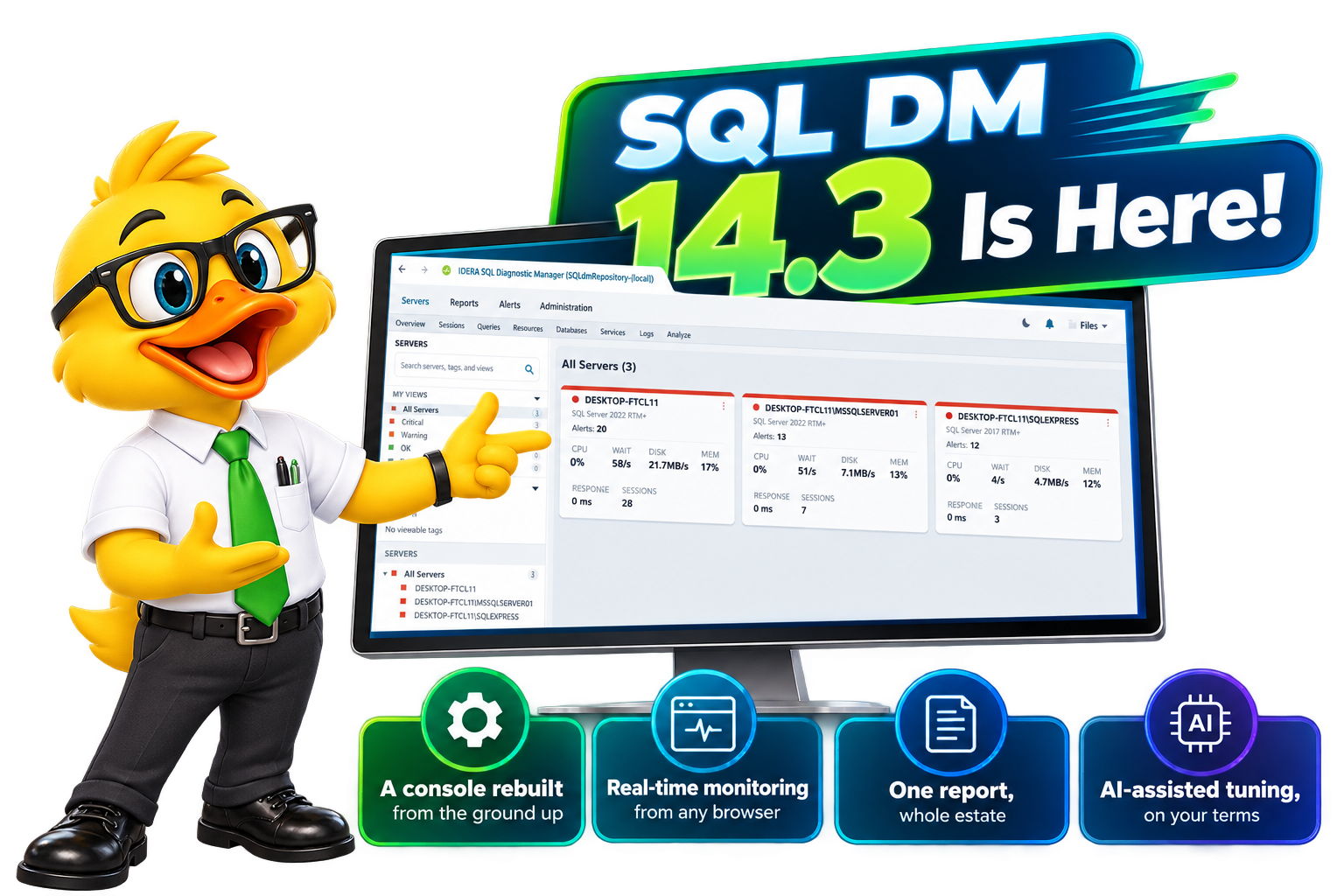
SQL Diagnostic Manager 14.3 turns a wall of noisy alerts into a clear signal. Find the true root cause across on-prem, hybrid, and cloud in seconds, not shifts, with a redesigned console, real-time web monitoring, and AI-assisted query optimization.
- N14-day full-feature trial
- NNo credit card
- NAgentless - live in ~5 min
Trusted by 50,000+ database professionals worldwide

LIVE WEBINAR
See What’s New in SQL DM 14.3
Join our live walkthrough of 14.3.
The problem every DBA knows
When an alert fires, does it mean something, or is it just background noise?
Generic thresholds fire on generic lines, not on what is actually normal for your servers. Teams learn to ignore them, and the real incident hides in the flood. SQL Diagnostic Manager changes the ratio, starting on day one, and ships with retuned defaults so a healthy environment does not open in a wall of red.
- Life on defaults
Alert fatigue & guesswork
- Generic thresholds cry wolf until the team tunes them out.
- Deadlocks reconstructed by hand from error logs, hours later.
- "Something's slow" - but no way to see who, what, or where.
- Checking one server means opening one server, then the next one.
- Capacity conversations run on gut feel, not data.
- With SQL DM
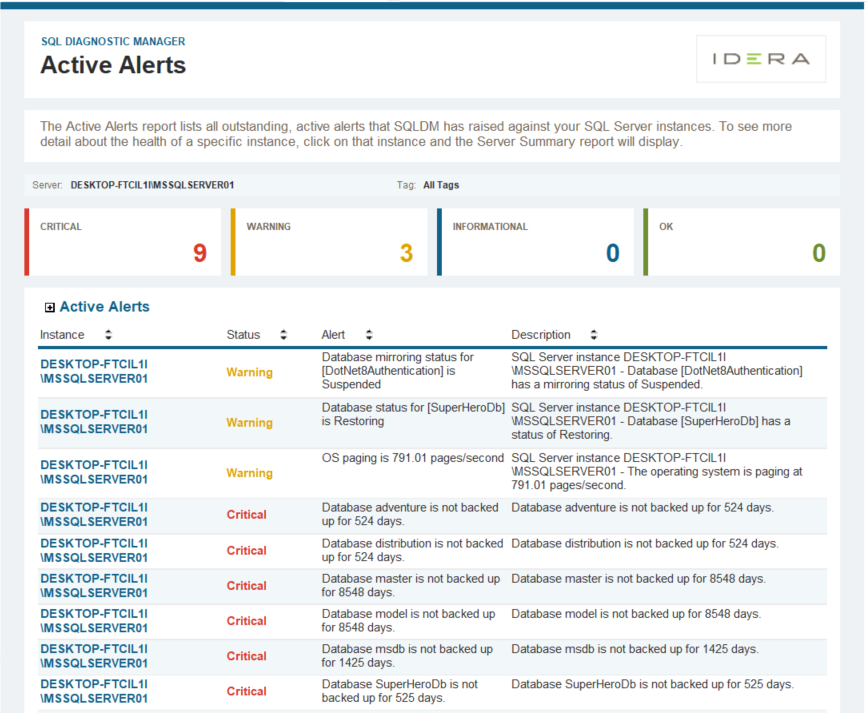
Alerts you can trust
- Retuned defaults on day one, then adaptive baselines that learn each server's normal and fire on real anomalies.
- Deadlocks captured and visualized automatically, with the evidence waiting when you open it.
- Waits broken down by database, user, application and query
- One report that ranks queries, blocking, waits, databases, or resources across every server you monitor.
- Forecast disk, database and table growth from your own history.
One platform
See every layer. Solve the problem faster.

Deep root-cause insight
Waits, blocking chains, deadlocks, TempDB pressure, I/O latency, and index fragmentation. Follow the true cause down to the query and the session behind it, not just the symptom.

Act automatically
Go beyond email. Run a remediation script, open a ServiceNow ticket, page the right team, or trigger an SNMP trap, set per metric, per server, or globally.

Everywhere you run SQL
One normalized view across on-prem, VMware and Hyper-V, Azure SQL Database and Managed Instance, AWS RDS, and GCP. Agentless, secure by design, and reachable live from any browser.

Own your data
A repository you own outright, for multi-year forensic analysis, deployable on-premises or to Amazon RDS Custom. Predictable per-instance pricing and no per-gigabyte ingest fees, ever.

Standardize at scale
Save one server’s monitoring configuration as a template and apply it to the rest. Onboard the two hundredth server the same way you onboarded the first, with the same thresholds, the same collection settings, and no drift.
Where it earns its keep
The capabilities DBAs reach for first
Deadlock detection & analysis
The evidence is already captured.
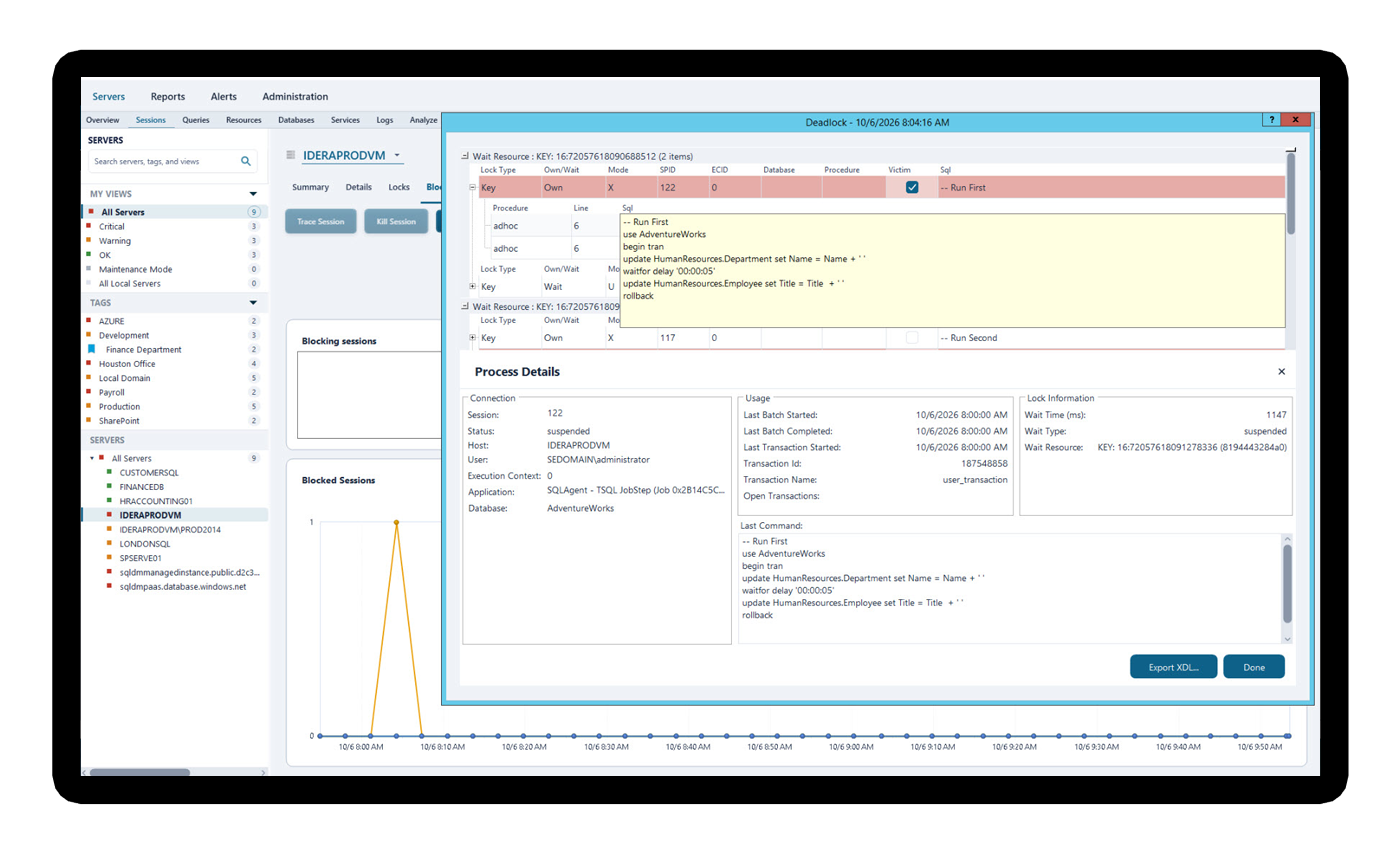
Deadlocks are intermittent, hard to reproduce, and painful to chase through error logs after the fact. SQL Diagnostic Manager captures every deadlock event automatically and draws it out for you: the exact queries and the exact resources on both sides of the conflict. The blocking and deadlock investigation screens have been rebuilt for readability, so the chain is easier to follow the first time you look at it.
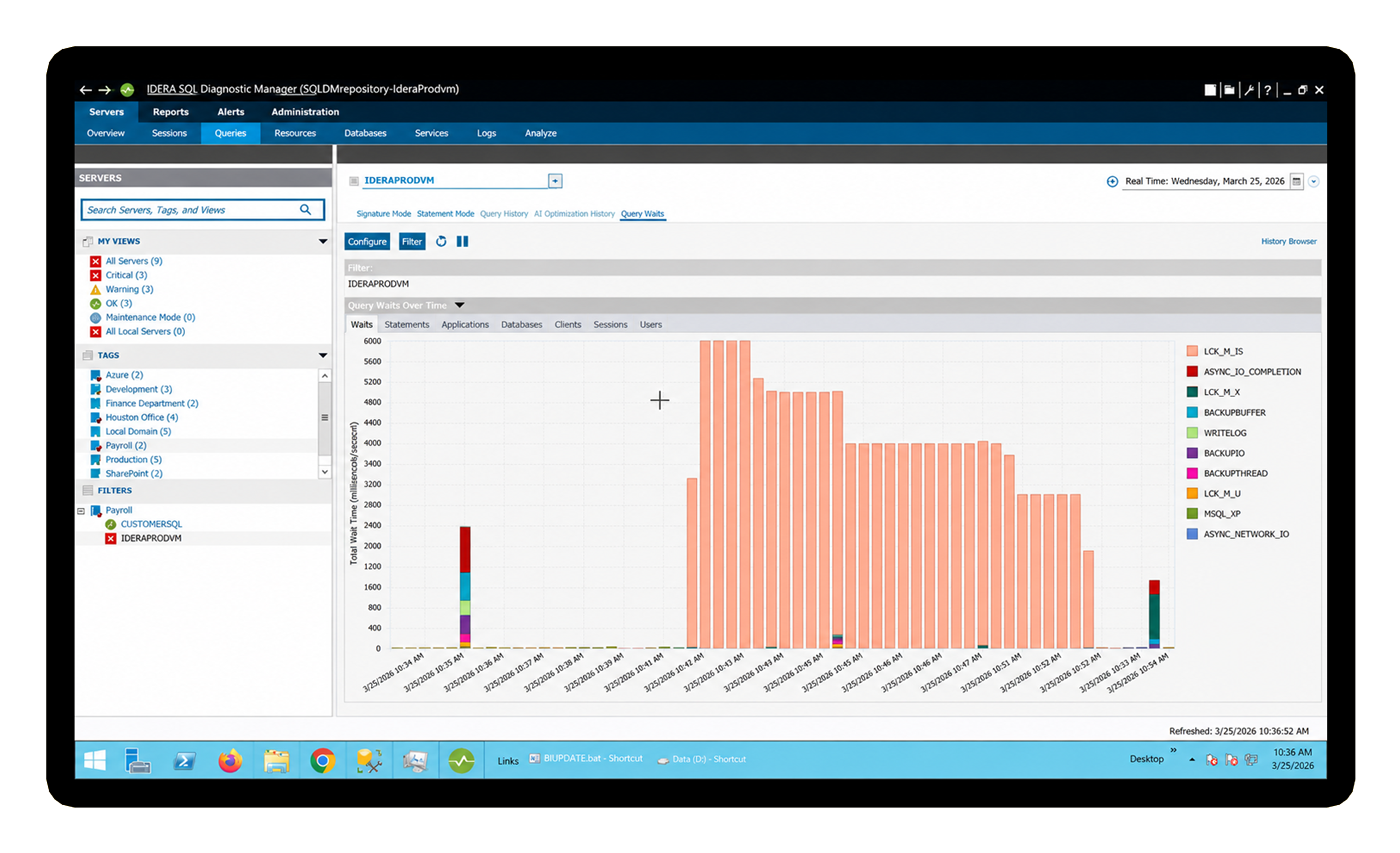
Wait statistics analysis
Not just “what’s slow.” Who and where.
Most teams only see instance-level waits. SQL DM slices wait data by database, by user, by application and by individual query — so you can hand the finding straight to the right person instead of guessing.
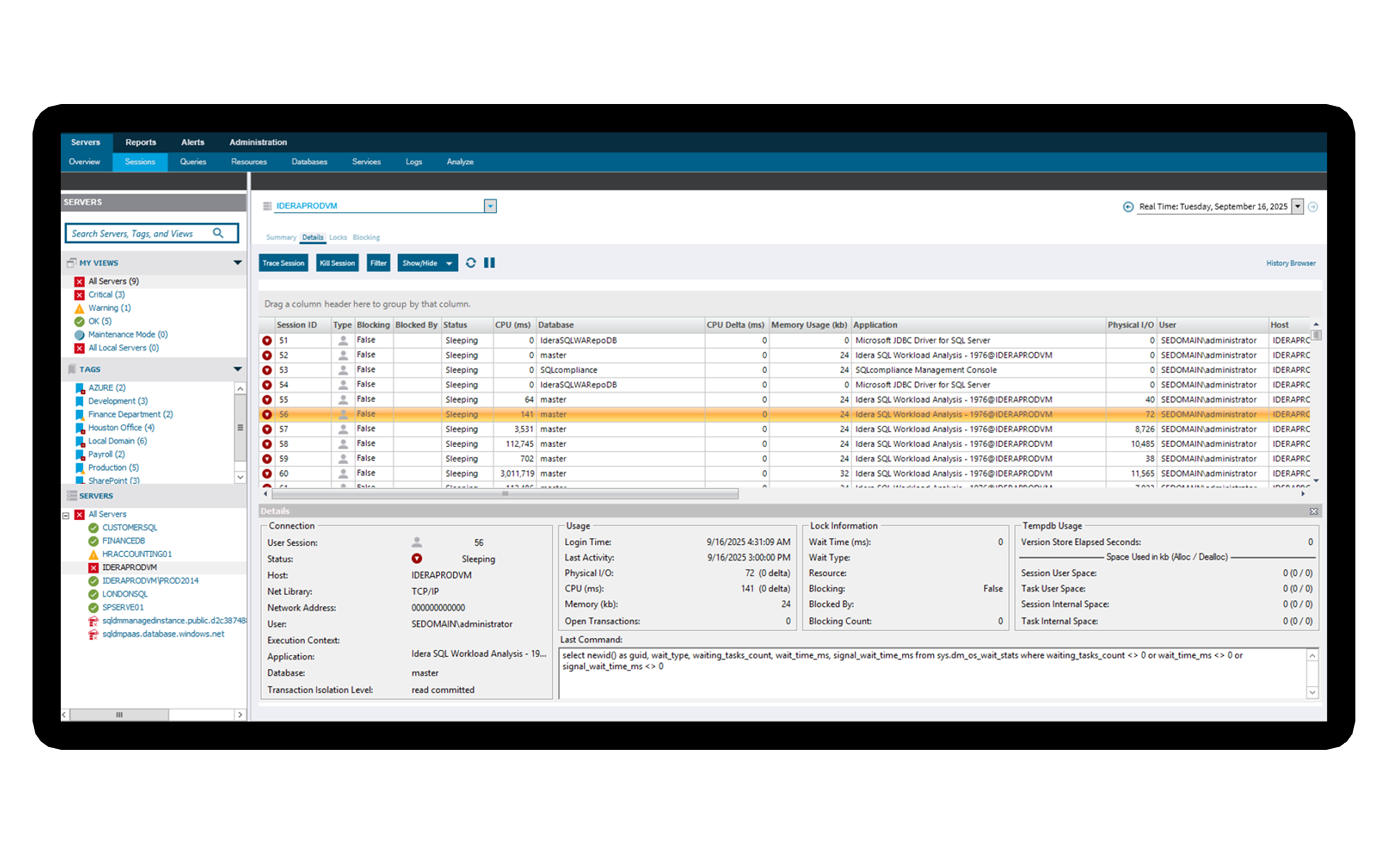
Session monitoring
A live window into every connection.
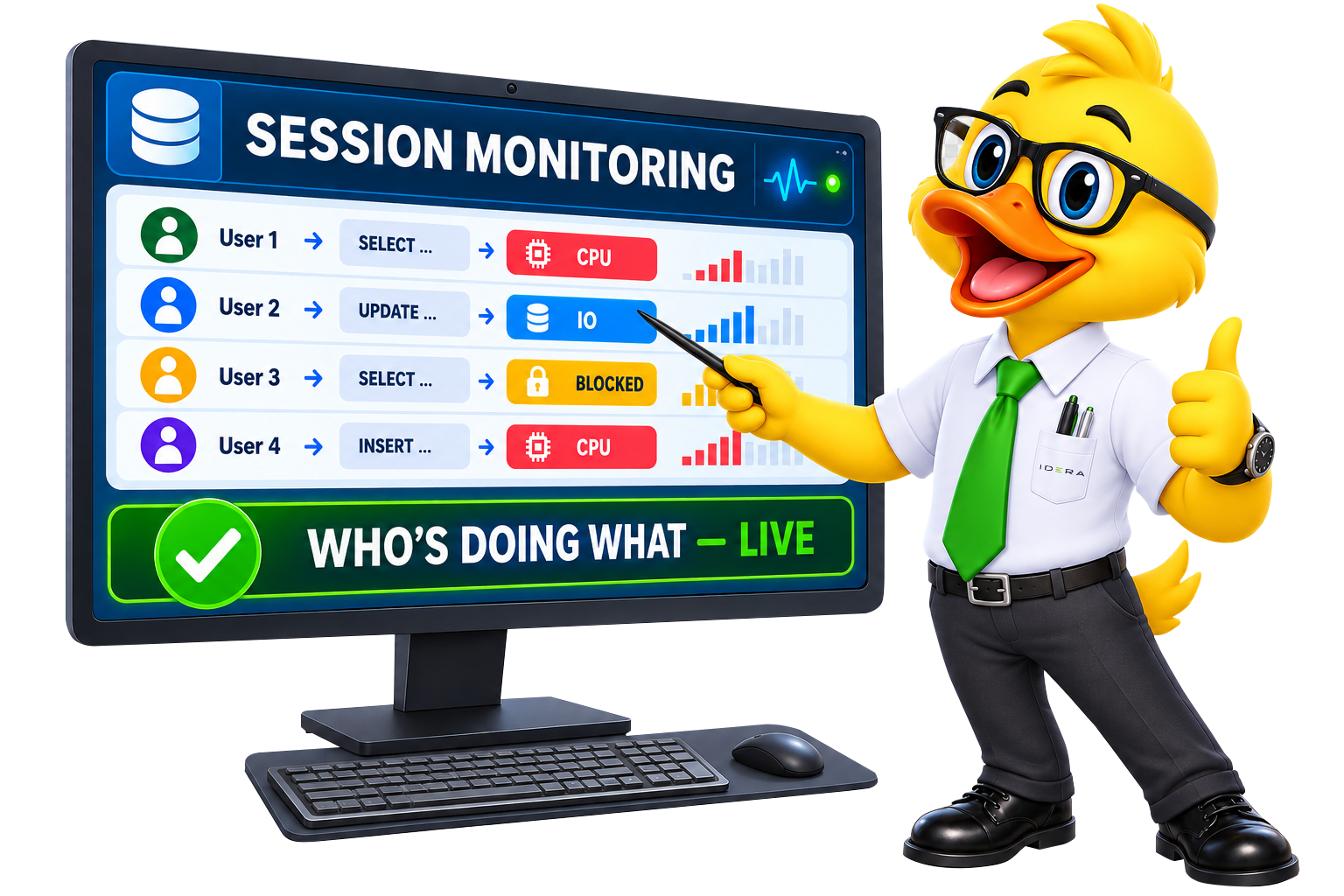
See exactly what's happening right now — who's connected, what they're running, how long it's taken and what it's consuming. Blocking chains surface in real time, so you act at the moment of impact instead of reconstructing it later.
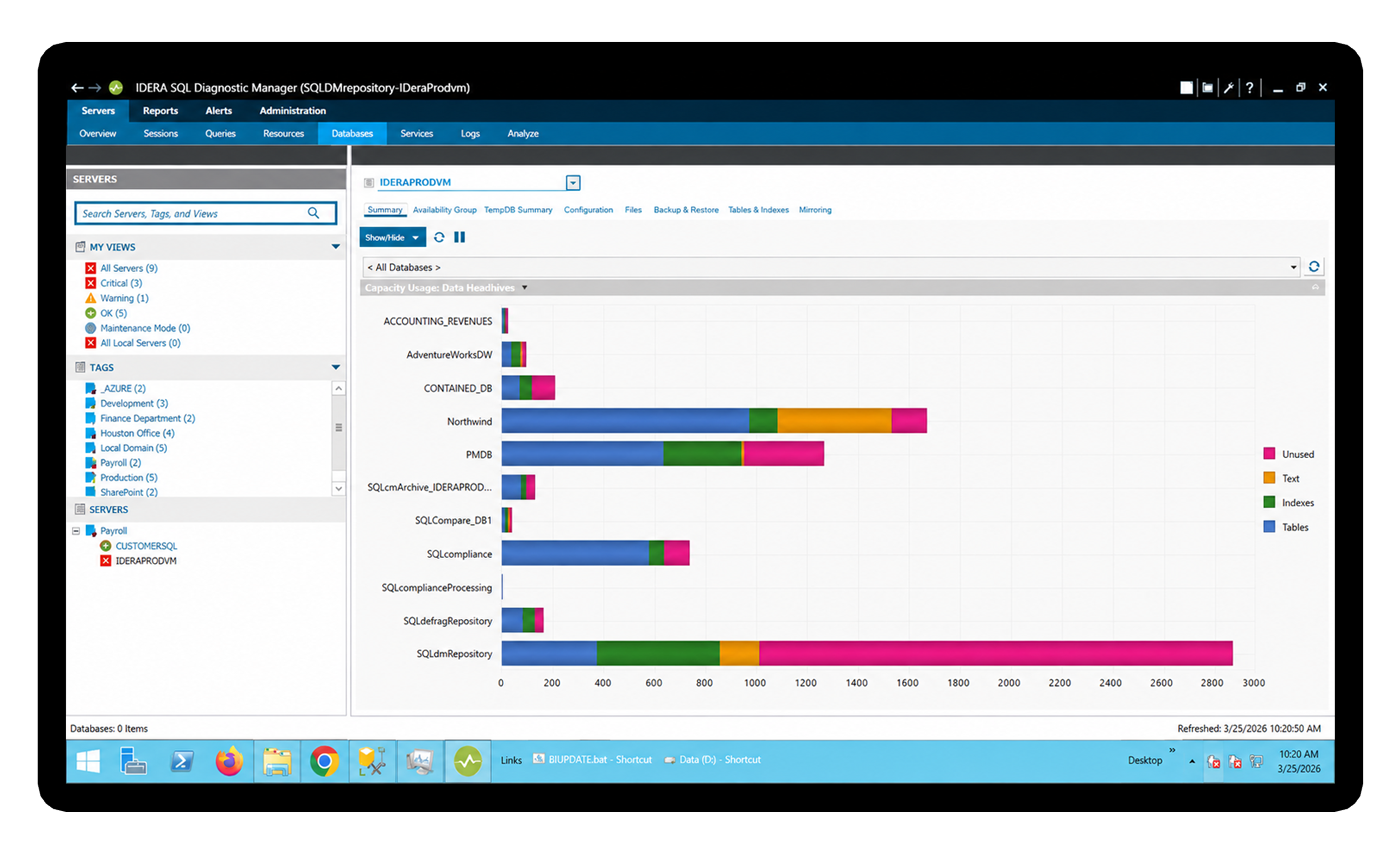
Forecasting & capacity planning
Turn a budget request into a data point.
SQL DM projects disk, database and table growth forward from the patterns it's already collecting in your environment — no guesswork. Walk into the leadership conversation knowing which databases are growing fastest and when you'll run out of runway.
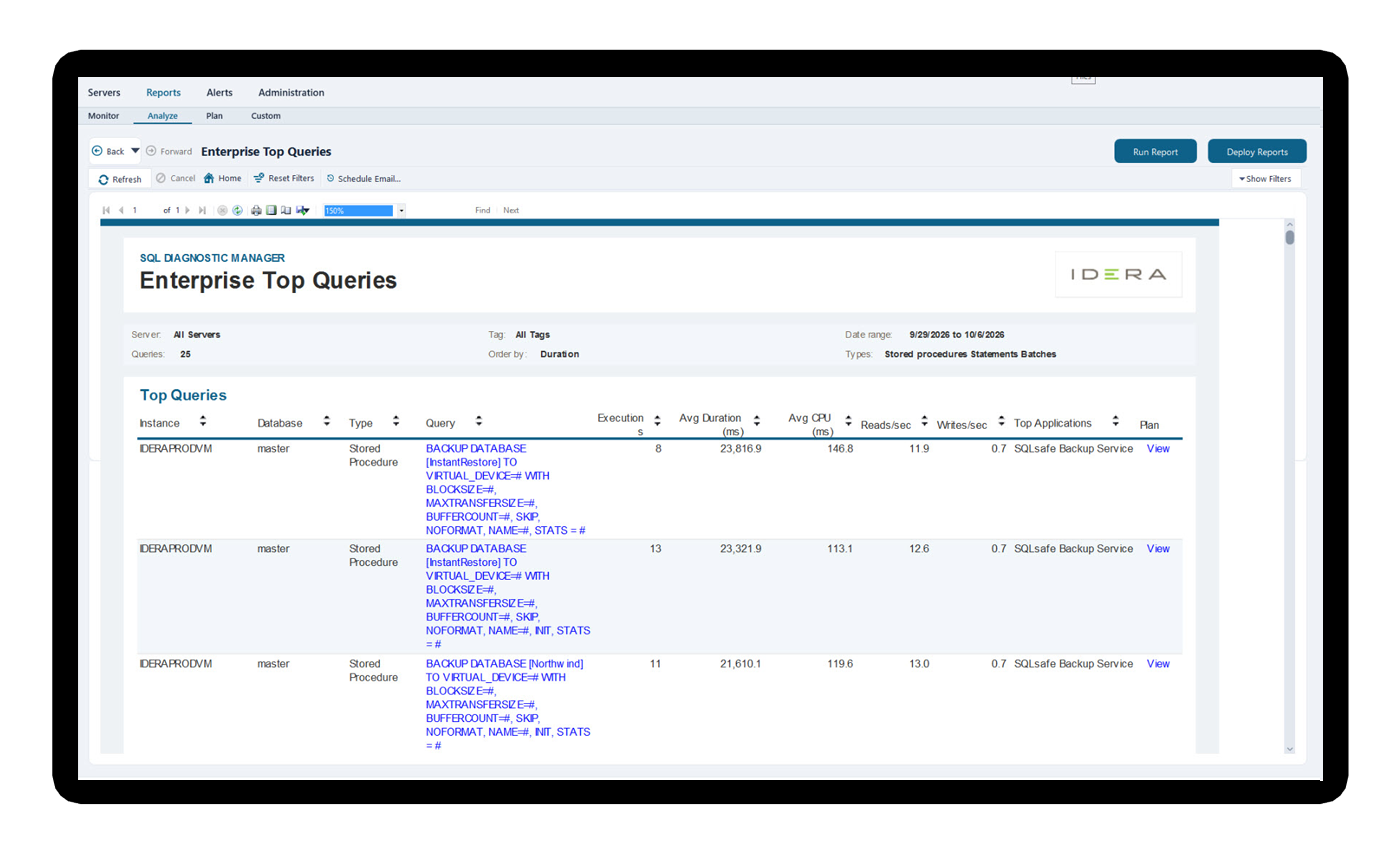
Forecasting & capacity planning
Answer the question once, for every server
Five enterprise reports analyze a group of monitored SQL Servers together instead of one at a time: top queries by impact, blocking duration and blocked sessions, query wait time, top databases by size and growth and activity, and CPU, disk, and memory with peak periods identified. Run one report, answer the question for the whole estate.
All in one license
Everything you need to monitor, tune and prove it

Baseline & dynamic thresholds
Newly monitored servers now start on retuned defaults, so a healthy environment does not report critical on the first afternoon. From there, adaptive baselines learn what normal looks like for each server and alert on genuine anomalies instead of generic limits. You also get more control over disabling alert recommendations.

Alert actions & automation
Trigger scripts, ServiceNow tickets, paging, and SNMP traps when issues appear. Problems can be resolved or fully documented before users even notice.
Forecasting & capacity
Project disk, database, and table growth based on real observed usage patterns. This gives teams the data they need to support storage requests and plan ahead with confidence.

Live session monitoring
See active connections, running queries, and blocking chains in real time. DBAs can understand the impact as it happens instead of investigating after the damage is done.

Deadlock visualization
Capture every deadlock automatically, including the exact queries and resources involved on both sides of the conflict. This makes it easier to diagnose the root cause and prevent repeat issues.

Dimensional wait stats
Break down waits by database, user, application, and query. This gives DBAs a clearer path to the true source of pressure instead of chasing surface-level symptoms.

TempDB monitoring
Track space usage, session consumption, version store activity, and allocation contention in one focused view. DBAs can catch TempDB problems early, before they turn into failures.
History browser
Rewind to any moment and see the full monitoring picture as it existed then, held in a repository you own. Useful for post-incident forensics, for troubleshooting a complaint from last Tuesday, and for proving a change did what you said it would.

Replication monitoring
Monitor latency, distributor status, and agent health from the same console. Teams can spot replication issues early and alert before lag becomes a business problem.

AlwaysOn AG health
Track sync state, log send queues, redo queue depth, and failover readiness. These early signals help DBAs identify availability risks that native tooling may not clearly surface

VM & virtualization awareness
View hypervisor metrics alongside SQL Server metrics, including CPU ready, memory ballooning, and host disk latency. This helps teams recognize when a slow query is caused by infrastructure, not SQL Server.

Prescriptive recommendations
AI-powered query and workload index optimization, built into Query Monitor. Compare a recommendation against the original query side by side, review everything before it leaves your environment, and keep a full history of what was submitted, by whom, and when. Nothing is applied without a DBA approving it.

Custom counters
Pull in Windows PerfMon counters, custom DMVs, and application-level KPIs alongside SQL Server metrics. This gives teams a more complete view of performance in one place.

Scheduled reporting
Distribute performance reports on any cadence, single server or estate wide, with no manual exports. The full reporting experience has been refreshed for a cleaner and more consistent look across every report you run.

Prescriptive & AI insights
Use AI-powered query optimization and side-by-side comparisons of AI-generated recommendations against the original query. These new capabilities add another layer of guidance to the SQL Server tuning toolkit.

Configuration templates
Save a server’s monitoring configuration as a reusable template and apply it to other servers. Large environments get consistent settings without repeating the setup, and new servers inherit the standard the rest of the estate already runs on.

Estate-wide enterprise reports
Five reports that analyze a group of monitored SQL Servers together: top queries, blocking, query wait statistics, top databases, and server resources. Answer an environment-wide question without opening each instance in turn.

Browser-based monitoring
The Web Console covers day-to-day monitoring from any operating system, including real-time monitoring of an individual instance. Share a link to a live view instead of a screenshot, and skip the remote desktop session to check one server.
Database-level deep dive
Select a database and move through connected views for capacity and trends, data files and file groups and transaction logs and disks, backup and restore history, tables and indexes with size and dependency detail, and database configuration. Every tab keeps a database selector, so you can move between databases without losing your place.

Flexible repository deployment
Run the SQL Diagnostic Manager repository where it suits your architecture, including on an Amazon RDS Custom SQL Server instance. Your monitoring history stays under your control either way.
Why teams choose SQL DM
Enterprise-grade coverage. On your terms.
0
agents on your servers — full data collection with minimal overhead.
$0
ingest fees. Predictable per instance pricing you can budget for.
Years
of forensic history in a repository you own outright.
1000s
of instances monitored from a single pane — without performance impact.
Time to value
Monitoring your estate in about five minutes
Install & connect
A modernized installer walks you through setup, then you point SQL Diagnostic Manager at your instances, on-premises, cloud, or hybrid. Scripted installs and reusable configuration templates make an estate-wide rollout a repeat of the first server rather than a new project each time.
Baselines learn your normal
Retuned default thresholds cover you immediately without turning a healthy environment red, while adaptive baselines learn what healthy actually looks like for each server.
See signal, act, prove it
Trusted alerts, root cause in a click, automated responses, and scheduled reports for the people who ask whether it is fixed. When the question is about the whole environment rather than one server, run an enterprise report instead.
Loved by database professionals
The teams keeping SQL Server healthy

SQL Diagnostic Manager provides in minutes information that would take the whole database administration team weeks to gather manually.
SQL Diagnostic Manager makes our team more efficient and proactive. We rely on it to keep our SQL Server infrastructure healthy and our critical applications performing well.
With SQL Diagnostic Manager, we realized significant productivity gains and cost savings, thanks to more granular alerting and faster troubleshooting of potentially disastrous issues.
Good questions
Frequently asked
What is new in SQL Diagnostic Manager 14.3?
Version 14.3 modernizes the Windows console and the reporting experience, adds real-time instance monitoring to the Web Console, and introduces five enterprise reports covering top queries, blocking, query wait statistics, top databases, and server resources. It also adds reusable configuration templates, retuned default alert thresholds, term licensing up to 2,000 days, and a modernized installer. Every existing capability stays where it was. Full detail is on the SQL Diagnostic Manager 14.3 page.
What AI capabilities does SQL Diagnostic Manager include?
SQL Diagnostic Manager includes AI-powered query optimization and workload index optimization, built into Query Monitor, plus a side-by-side comparison of the recommendation against the original query. AI features are disabled by default, require an administrator to enable them and grant permission per user, never receive table data, and never apply a change on their own. Every submission is logged. Full detail is on the AI FAQ page.
Can I monitor SQL Server from a browser, or on a Mac?
Yes. The SQL Diagnostic Manager Web Console runs in a browser on any operating system, including macOS and Linux, and covers queries, sessions, lock waits, lock statistics, and database statistics. As of 14.3 it also includes real-time monitoring of an individual instance, so you can watch a server live without a Windows machine and without a remote desktop session.
How many SQL Server instances can SQL Diagnostic Manager monitor?
Thousands, from a single console, without deploying agents to the monitored servers. Large environments use server groups and tags to organize the estate, configuration templates to apply consistent monitoring settings across servers, and enterprise reports to analyze a whole group at once rather than instance by instance.
Is it really agentless - what's the overhead on my servers?
Yes. SQL DM collects deep performance data without installing agents on the monitored SQL Servers, so you get full visibility with minimal overhead — even across large estates and thousands of instances.
Does it work across cloud and hybrid, not just on-prem?
It does. SQL DM normalizes metrics into a single view across on-prem, VMware & Hyper-V, Azure SQL Database & Managed Instance, AWS RDS and GCP - so you keep consistent visibility wherever your databases run.
How is it priced - are there ingest or data fees?
Does it suit a single DBA, or only big teams?
What’s actually in the free trial?
Start now
Ready to trust your alerts again?
- N14-day free trial with full access
- NNo credit card required
- NAgentless setup in under 5 minutes
- NCancel anytime, no questions asked