Database Migration Tools: How to Choose the Right One
Key Takeaways: Most migration tools stop at the data move. Assessment, monitoring, and compliance continuity require separate tooling. Cloud-native services from AWS, Azure, and Google...
Most migration tools stop at the data move. Assessment, monitoring, and compliance continuity require separate tooling.
Cloud-native services from AWS, Azure, and Google are built for migrations into their own ecosystems, not across them.
Flyway and Liquibase manage schema versioning in CI/CD pipelines. They are not data migration tools.
For SQL Server teams, IDERA covers the monitoring and compliance gaps that data movement tools leave open.
The Best Database Migration Tools for Every Environment and Use Case
Every database migration carries risk, and the bigger the move, the more that risk compounds. Version upgrades behave differently from platform migrations. On-premises-to-cloud moves introduce latency, schema compatibility, and security variables that a backup-and-restore approach won’t surface until cutover. Cross-platform migrations pile on driver changes, data type mismatches, and stored procedure rewrites.
Choosing the right tool matters, but “right” depends on your environment, budget, team size, and what you’re actually moving. This guide breaks down the most capable database migration tools for the scenarios DBAs and IT leaders run into most often: commercial platforms, cloud-native services, and open-source options.
1. IDERA
What it does
IDERA’s SQL Server toolsetsupports migration planning and validation through performance monitoring and compliance visibility, not the data movement itself. Most tools stop at the data move and leave you to discover performance problems after cutover. IDERA builds migration work on top of performance monitoring and compliance continuity, starting before the move begins.
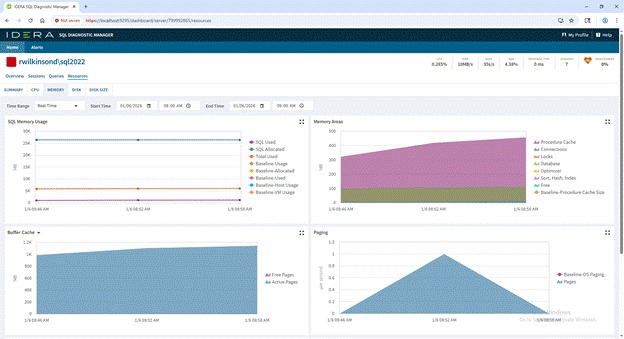
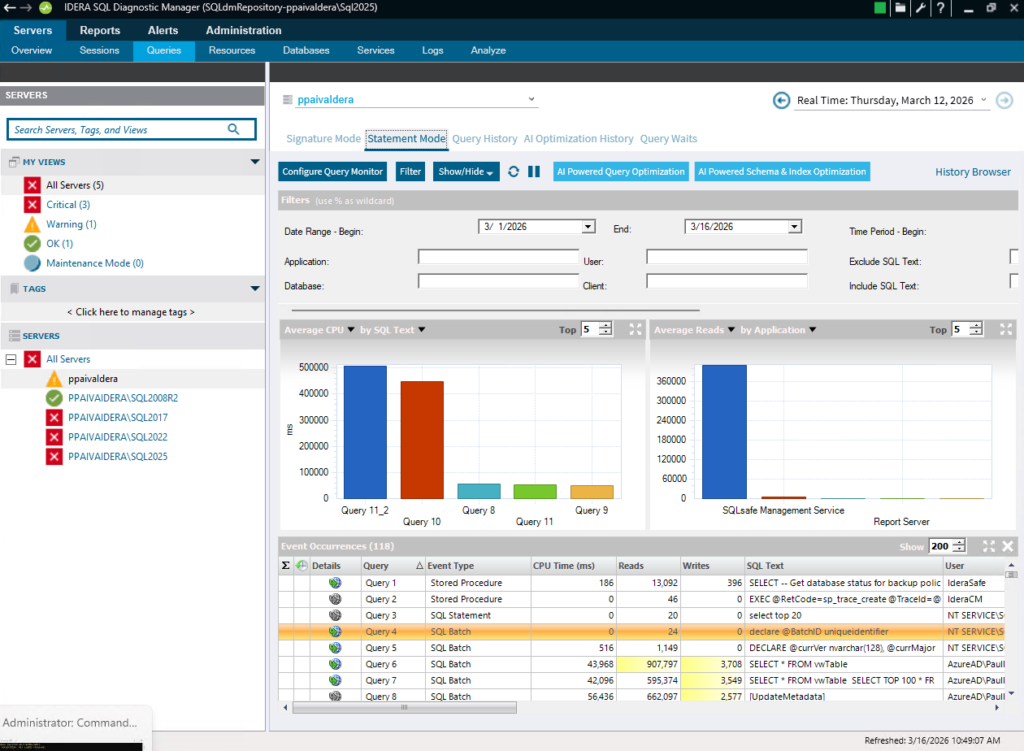
SQL Diagnostic Manager gives you query-level visibility into your source environment before migration planning starts. You can identify long-running queries, blocking chains, memory pressure patterns, and I/O bottlenecks that will follow you to the target instance if you don’t fix them first. During cutover, SQL Diagnostic Manager’s real-time diagnostics let you watch performance against established baselines and catch regressions the moment they appear, not after users start calling.
SQL Compliance Manager solves the audit continuity problem. Regulatory frameworks like HIPAA, SOX, GDPR, and PCI don’t pause during migrations. SQL Compliance Manager captures audit trails, enforces policy-based controls, and generates export-ready compliance reports so your audit posture transfers to the target environment intact. In regulated industries, that’s not a nice-to-have. It’s a migration requirement.
Best suited for
SQL Server DBAs managing version upgrades or on-premises-to-cloud moves to Azure SQL or Amazon RDS for SQL Server
Organizations in regulated industries that need compliance continuity from source to target
Teams running hybrid environments who want unified performance monitoring across both old and new instances during transition
Mid-to-large organizations where alert fatigue and diagnostic depth matter more than raw migration speed
Where it falls short
IDERA is purpose-built for SQL Server. If you’re migrating away from SQL Server to PostgreSQL, MySQL, or a NoSQL platform, you’ll need a different tool for the actual data movement. It also won’t replace a dedicated migration orchestration platform for large-scale, heterogeneous migrations.
2. Azure Database Migration Service
What it does
Microsoft’s managed migration service for moving databases to Azure supports both homogeneous migrations (SQL Server to Azure SQL Database or Azure SQL Managed Instance) and heterogeneous sources, including Oracle, MySQL, and PostgreSQL. MongoDB migrations are also supported through Azure Cosmos DB migration paths.
The service handles migration orchestration and data movement. Schema conversion comes through companion tools like Azure Database Migration Assistant and the Azure SQL Migration extension for Azure Data Studio.
Best suited for
Teams already committed to the Azure ecosystem with existing Azure infrastructure and Active Directory integration
SQL Server to Azure SQL migrations, where schema compatibility is highest and tooling is most mature
Organizations leveraging the Azure Database Migration Guide for pre-migration assessment
Where it falls short
Azure Database Migration Service works best when Azure is the destination. Multi-cloud or on-premises-to-on-premises migrations aren’t in scope. Post-migration performance monitoring requires separate tooling like Azure Monitor or SQL Insights. And while the list of supported heterogeneous sources looks broad, the actual depth of support varies by source platform.
3. AWS Database Migration Service
What it does
Built for teams moving workloads into AWS, this service supports continuous data replication and one-time migrations across a wide range of source-to-target combinations: Oracle, SQL Server, MySQL, PostgreSQL, and MongoDB. AWS Schema Conversion Tool works alongside it to handle DDL translation for heterogeneous migrations.
Best suited for
Migrations to AWS-managed databases including Amazon RDS, Amazon Aurora, and other AWS-managed data platforms such as Amazon Redshift
Continuous replication use cases where you need near-zero downtime during cutover
Teams using AWS-native tooling who want schema conversion and data movement in a single vendor workflow
Where it falls short
AWS Database Migration Service charges by replication instance hours and data transfer, and costs add up fast for long-running continuous replication scenarios. Schema conversion quality drops off for complex stored procedures and proprietary T-SQL or PL/SQL constructs. And like its Azure counterpart, it’s designed for migrations into AWS, not between on-premises environments or to competing clouds.
4. Google Cloud Database Migration Service
What it does
Google Cloud Database Migration Service handles PostgreSQL and MySQL migrations to Cloud SQL, with support for PostgreSQL migrations to AlloyDB. It uses continuous change data capture to minimize downtime and includes built-in VPC connectivity for secure private migrations. The service ties directly into Google Cloud’s networking and IAM layers.
Best suited for
PostgreSQL and MySQL workloads migrating to Cloud SQL or AlloyDB
Google Cloud-native teams who want IAM-integrated, managed migration workflows
Organizations where operational simplicity and managed infrastructure matter more than advanced customization
Where it falls short
Google Cloud Database Migration Service has a narrower source compatibility list than its AWS or Azure counterparts. SQL Server migrations are supported only for specific destinations like Cloud SQL for SQL Server, and those workflows rely on backup restores and transaction log replication rather than direct CDC. Feature depth and third-party integration options trail what Microsoft and AWS offer.
5. Redgate Flyway
What it does
Flyway doesn’t move data between environments. It manages schema evolution through sequentially applied, versioned SQL scripts. It integrates directly with CI/CD pipelines, which makes it the go-to for teams doing database DevOps, and supports SQL Server, PostgreSQL, MySQL, Oracle, and several other platforms.
Best suited for
Teams treating database schema changes as code, with migrations tracked in version control alongside application code
DevOps pipelines where database changes need to follow the same branching and deployment workflows as application releases
Open-source teams: the Community edition is free and covers most schema versioning needs for smaller environments
Where it falls short
Flyway doesn’t move data between environments and doesn’t address platform migration. It’s a schema versioning tool, not a database migration tool in the traditional sense. Complex rollback scenarios take careful planning because undo migrations are a paid feature, and you still have to write the reversal scripts yourself.
6. Liquibase
What it does
Where Flyway relies on raw SQL scripts, Liquibase supports XML, YAML, and JSON changelog files, which makes it easier to write database-agnostic migrations that deploy consistently across multiple platforms. It integrates with Maven, Gradle, and most major CI/CD tools. The Pro tier adds automated rollbacks, quality checks, and drift detection.
Best suited for
Multi-platform environments where migrations need to deploy consistently across SQL Server, PostgreSQL, Oracle, and other databases
Teams that prefer declarative change management over raw SQL scripting
Open-source teams: the community version is free and actively maintained with broad platform support
Where it falls short
The flexibility comes with overhead. Changelog files can grow unwieldy in large environments, and the XML format is harder to read than plain SQL for teams without prior tooling experience. Like Flyway, Liquibase is a schema management tool. It doesn’t address data migration or environment cloning.
7. SQL Server Migration Assistant (SSMA)
What it does
Microsoft’s free cross-platform migration tool supports Oracle, MySQL, PostgreSQL, SAP ASE, and DB2 as source platforms, with SQL Server or Azure SQL as the target. SSMA automates schema conversion and data migration and generates a compatibility report that flags objects requiring manual intervention before the move starts.
Best suited for
Cross-platform migrations where SQL Server or Azure SQL is the target
DBAs who need a free, Microsoft-supported tool for common heterogeneous migrations
Initial assessment work, since SSMA’s compatibility reports surface migration risk before the actual move begins
Where it falls short
SSMA’s schema conversion quality degrades with complex procedural code. Oracle PL/SQL packages with heavy use of cursors, dynamic SQL, or Oracle-specific built-in functions often need significant manual cleanup after conversion. The tool hasn’t seen major feature updates in recent releases, and it offers no performance monitoring or compliance capabilities post-migration.
8. Ispirer SQLWays
What it does
Where SSMA handles common heterogeneous migrations for free, Ispirer SQLWays goes after the harder conversions: automated schema and stored procedure translation from Oracle, Sybase, and DB2 to SQL Server, PostgreSQL, or MySQL. The conversion engine gets regular updates to improve accuracy for procedural code that other tools leave as manual work.
Best suited for
Legacy migrations from Oracle, Sybase, or DB2 with heavy stored procedure and trigger usage
Organizations where manual code conversion costs are high enough to justify a commercial conversion tool
Teams that need detailed conversion reports to scope migration effort and negotiate timelines with stakeholders
Where it falls short
Ispirer SQLWays covers schema and code conversion, not the full migration lifecycle. You’ll still need separate tooling for data movement, performance validation, and post-migration monitoring. Pricing isn’t public and typically requires a sales conversation, which makes it harder to evaluate against open-source alternatives early in the decision process.
Database Migration Tools at a Glance
The table below compares each tool across the categories that matter most when planning a database migration: what it actually does, what platforms it supports, how much it costs, and where it fits in your workflow.
Tool
Primary function
Supported platforms
Moves data?
Pricing
Best for
IDERA
Performance monitoring, compliance auditing
SQL Server
No (supports the migration lifecycle)
Commercial
SQL Server teams needing pre/post-migration visibility and compliance continuity
Complex legacy migrations with heavy procedural code
Choosing the Right Tool for SQL Server Migrations
The right migration tool depends on where you’re moving data, what platform you’re leaving behind, and how much of the lifecycle your team needs covered. Every tool on this list does one slice of the problem well, whether that’s schema versioning, cloud-native data movement, or heterogeneous code conversion.
For SQL Server environments, IDERA fills the performance visibility and compliance gaps that data movement tools leave open. SQL Diagnostic Manager and SQL Compliance Manager give your team the pre-migration assessment and audit continuity that a SQL Server migration requires.