















Database Management Software
SQL Diagnostic Manager’s AI Powered SQL Server Performance Optimization
Why Use AI
Why Use AI in SQL Diagnostic Manager?

AI-powered performance optimization
Built directly into Query Monitor to instantly provide actionable AI insights on slow queries.

Workload-aware AI recommendations

Faster root-cause analysis
Full insight and control
AI-Powered Query & Workload Index Optimization

Targeted Tuning
Generate recommendations for a single high-impact SQL Server query

Holistic Optimization
Optimize multiple competing queries that must perform well together

Workload-Aware
Produce index designs based on actual usage patterns, not hypotheticals

Reduced Sprawl
Avoid over-optimizing for one query at the expense of others
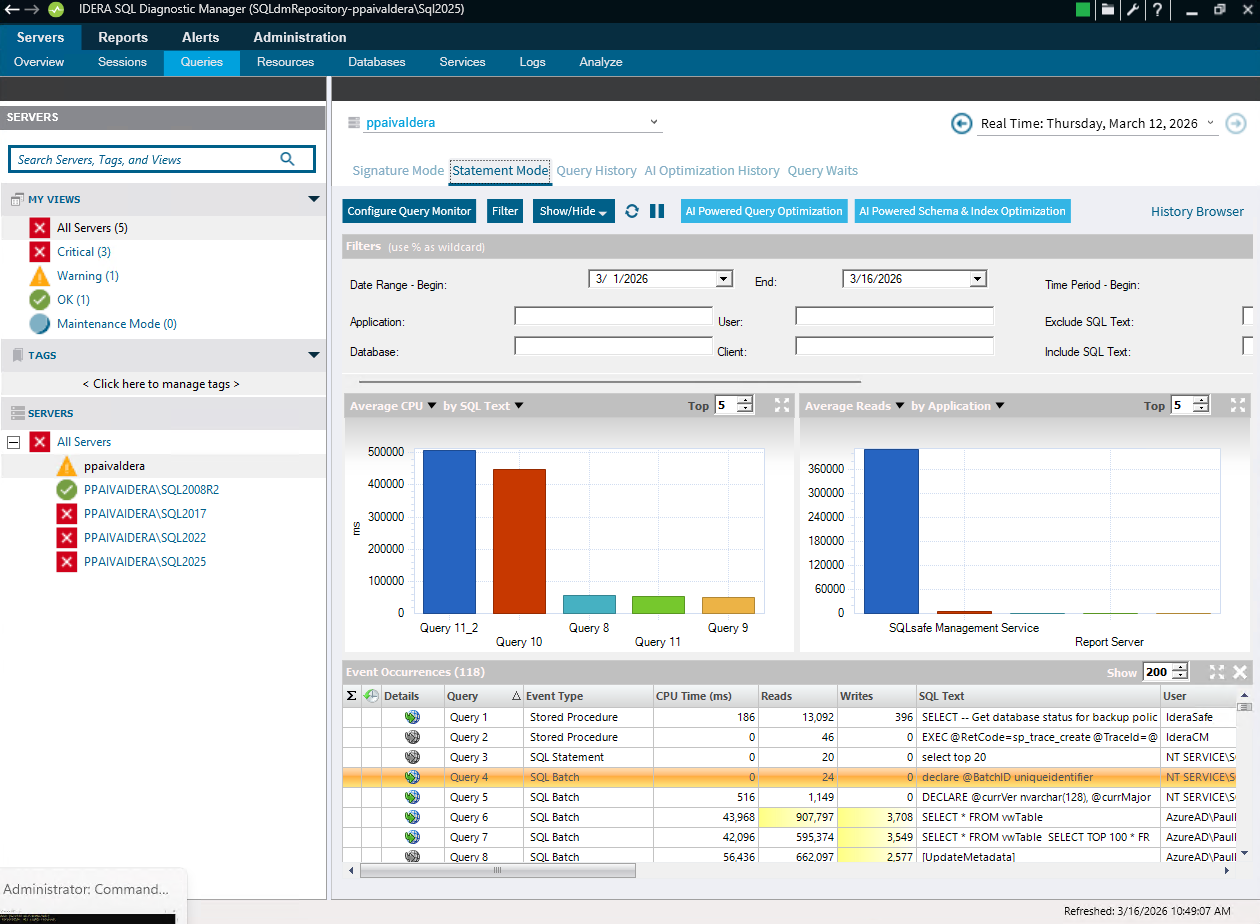
From performance insight to action, all without leaving Query Monitor.
SQL Diagnostic Manager uses AI to transform live and historical query performance data into intelligent optimization guidance.
Identify a slow, expensive, or high-impact query in Query Monitor
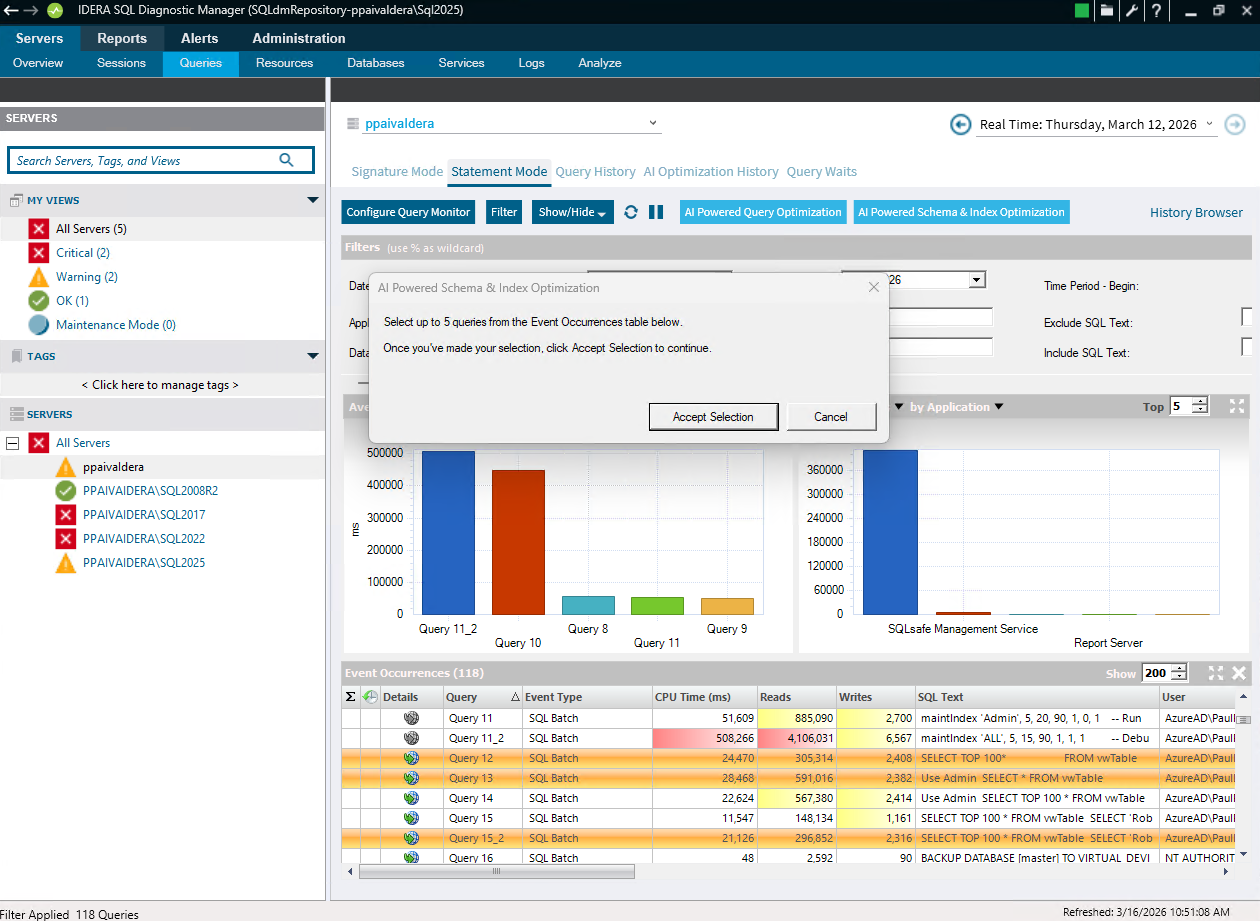
Select a single query or a group of related queries
Submit execution patterns, table structures, and existing index schemas to IDERA AI
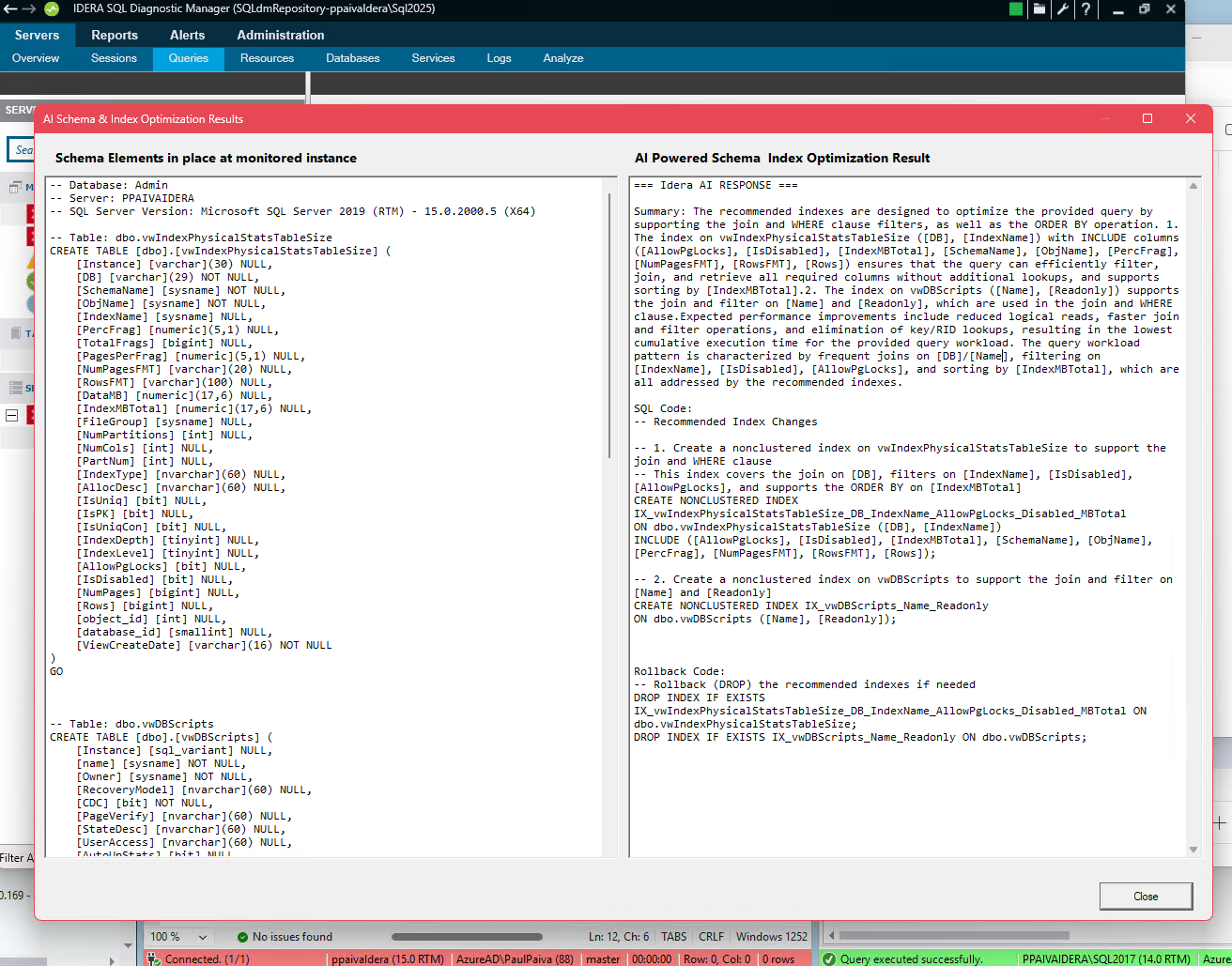
Receive clear, optimized index or query recommendations to evaluate
Review and approve AI suggestions prior to implementation

DBA-Controlled, Risk-Aware AI Recommendations
AI assists. DBAs decide. Always.
SQL Diagnostic Manager and IDERA AI keep DBAs fully in control of SQL Server performance tuning. Built for trust and transparency at every step.

Got Questions?
SQL Diagnostic Manager AI FAQs
When I install SQL Diagnostic Manager 14.0, are the Idera AI features automatically turned on?
How can I enable IDERA AI in SQL Diagnostic Manager 14.0?
If a company wishes to use Idera AI for some or all of their SQL DM users, first a designated admin will need to globally enable this feature, by following provided instructions. The admin will then need to grant permissions to users, individually.
Is data sent to IDERA AI?
No data, that is, no contents of tables, is sent to IDERA AI. It is possible that a query may have text in a CASE statement, for example, that might be considered data. In this case, the user has the opportunity to reject this submission to IDERA AI.
Is what is sent to IDERA AI done automatically?
No, it is not automatic. The user, in every case, has the opportunity to review the query and schema that is sent to IDERA AI, and can either approve or reject this submission.
Are the query optimization recommendations from IDERA AI implemented automatically?
No, there is no automation in the implementation of the IDERA AI recommendations. The recommendations are shown in a dialog box, and the user must intentionally copy/paste these. Therefore no implementation of the recommendations can happen “accidentally.”
What is returned from IDERA AI?
IDERA AI will give recommendations on how this query (or queries) can be optimized, and any index additions or modifications. A rollback script is also included.
What is sent to IDERA AI?
Once you select one or more queries from the SQL DM’s console’s Statement Mode or Signature Mode that you wish to be optimized, SQL DM will gather the schema (table creation DDL) for the tables and any corresponding indexes. The query, along with the schema information, is shown to the user in a dialog box. The user can review what would be sent to IDERA AI and decide to submit it or not.
What controls and/or redaction is in place for possible sensitive data in queries?
All queries and schema that is sent to Idera AI must be manually reviewed by the user before submitting to Idera AI, or rejecting it.
Are all IDERA AI actions logged?
Yes, SQL DM does store and display all the history of what queries were submitted, who the SQL DM user was, and a date stamp.
What mechanisms are there for user-based permissions?
Once a company has decided to permit the use of Idera AI, a designated admin will need to grant permissions to individual users.
Is it safe to use Idera AI?
Yes – there are ample mechanisms to safeguard what is submitted, and which users are permitted to use Idera AI. No table data is ever submitted to Idera AI. The resultant recommendations must be manually reviewed and copy/pasted. This is intentionally a manual, non-automated process.