SQL Diagnostic Manager 13.3: The Latest in Smarter SQL Server Performance Monitoring
Announcing the General Availability of SQL Diagnostic Manager 13.3 We are pleased to announce the general availability of SQL Diagnostic Manager 13.3. Existing users may...
Announcing the General Availability of SQL Diagnostic Manager 13.3
We are pleased to announce the general availability of SQL Diagnostic Manager 13.3. Existing users may upgrade to this version through the Idera Customer Portal. New users may download the trial version from the SQL Diagnostic Manager Website.
What is SQL Diagnostic Manager?
SQL Diagnostic Manager is the leading performance monitoring, alerting and diagnostics solution for SQL Server and Azure professionals. It proactively notifies of health, performance, and availability problems via a desktop console or a mobile compatible web console. It minimizes costly server downtime with agent-less, real-time monitoring and customizable alerting for quick diagnosis and remediation
What’s New in SQL Diagnostic Manager 13.3?
Resource Drill Down and Status Screens are now available in the SQL DM Web Console
SQL Diagnostic Manager 13.3 continues to expand SQL Diagnostic Manager Web Console’s capabilities into the more complex usage patterns of Senior SQL Server DBAs.
Added Resource Category Views:
Under the Resources Tab the sub-categories of:
CPU
Memory
Disk
Disk Size
File Activity
have been reimplemented in the SQL DM Web Console with a look and feel similar to the windows console.
Why are these important?
When debugging a slow running query, or sluggish system, experienced DBAs often start their process by inspecting system resource utilization. Quickly understanding whether there is a CPU utilization, Disk I/O or Memory consumption problem determines where the debug process starts. With Diagnostic Manager 13.3, these resource views are now fully accessible through the SQL DM Web Console.
Previous to Diagnostic Manager 13.3, this category of diagnosis drill down would have required returning to the Diagnostic Manager Windows Console.
GA Release of Maintenance Release Enhancements
A number of maintenance releases were merged into DM 13.3 and become GA available in DM 13.3.
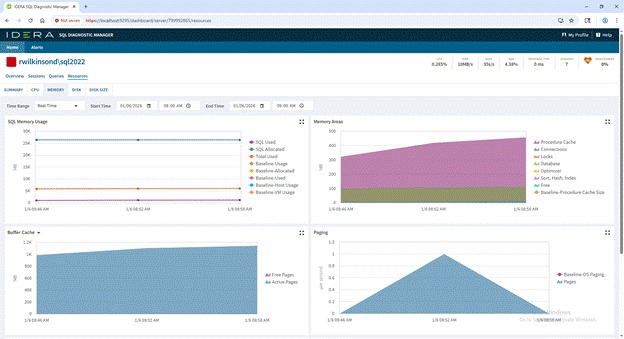
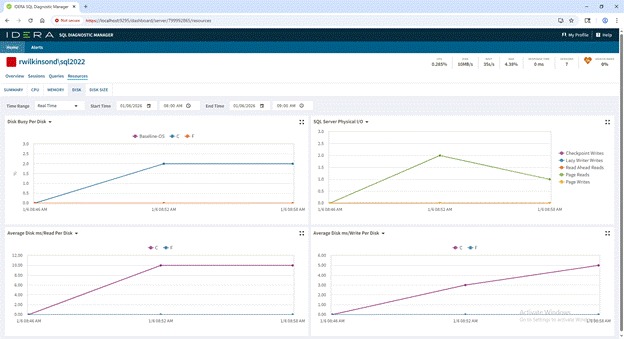
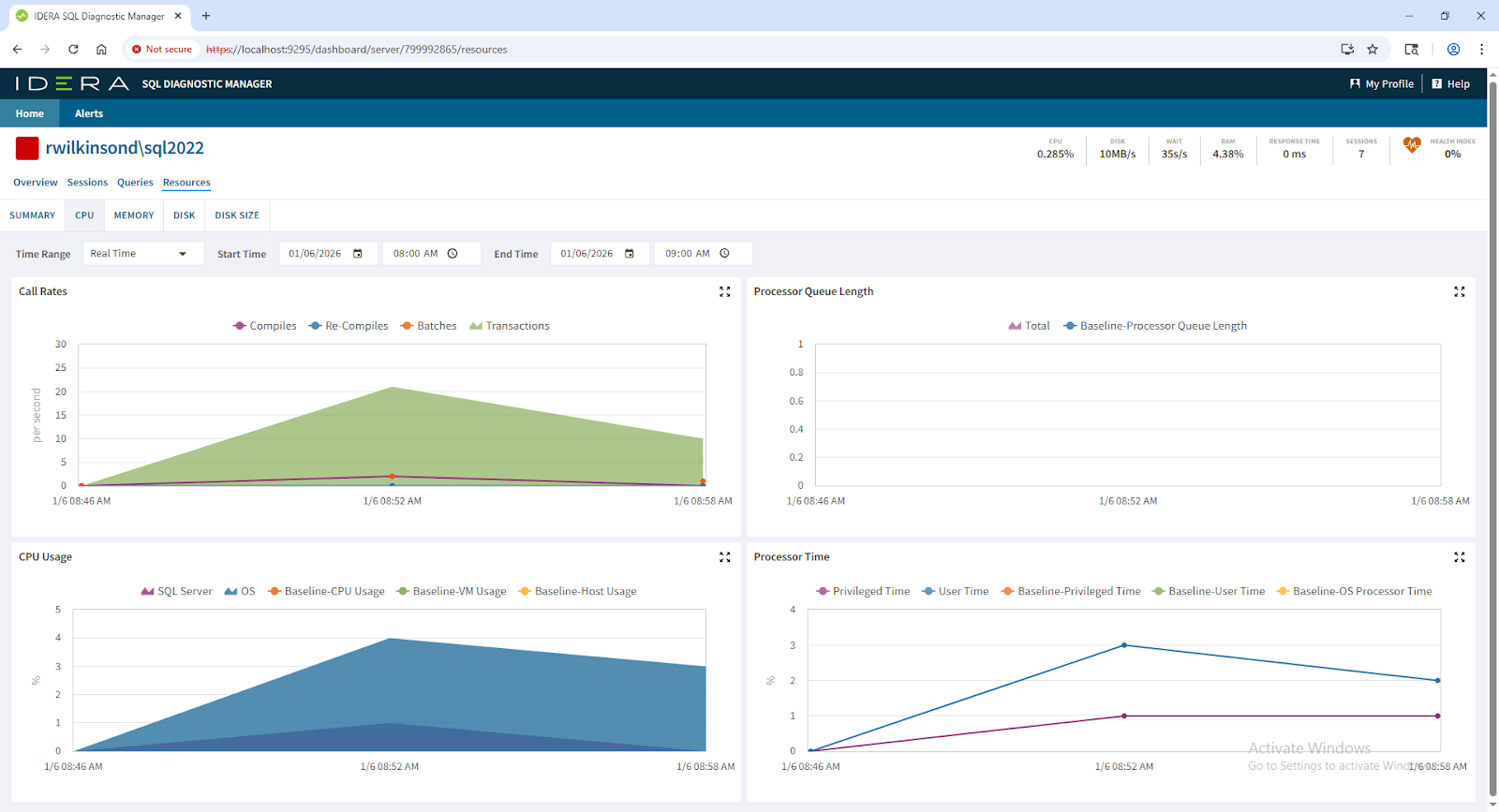
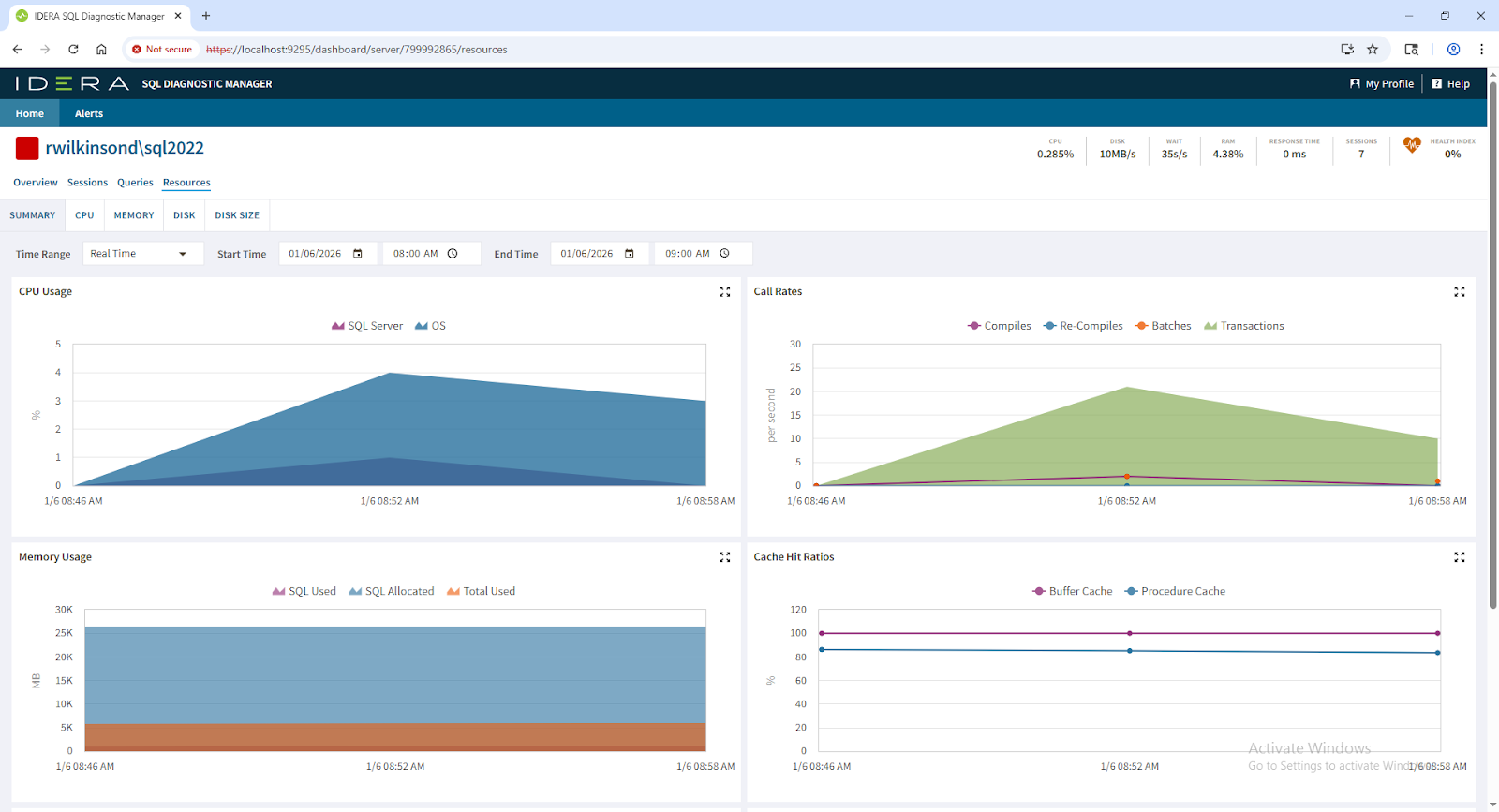
Below are four examples of the new feature screens in the Web Console:
Memory Resource Drill Down:
Disk Resource Drill Down:
CPU Resource Drill Down:
Combined View of Resources Drill Down:
Why This Matters for DBAs
SQL environments are getting busier, more distributed, and harder to troubleshoot. These upgrades help DBAs:
Diagnose slow queries faster
Perform deeper historical analysis
Build clean, shareable reports
Troubleshoot performance issues from anywhere
Strengthen their overall SQL Server performance posture
In short, SQL Diagnostic Manager 13.3 gives you better visibility, faster insight, and more flexibility—no matter the size or complexity of your environment.
Try SQL Diagnostic Manager Free
Experience the new release for yourself. Start your free trial of SQL Diagnostic Manager, the industry’s leading SQL Server tool, and see how it simplifies database performance monitoring.