















SQL Server Database Monitoring
The All-in-One SQL Server Performance Monitoring Platform for Modern DBAs, Now with AI-Driven Insights
Continuously monitor, diagnose, and tune SQL Server performance across on-prem, hybrid, and cloud environments with deep root-cause analytics, AI-driven insights, agentless architecture, and intelligent recommendations.
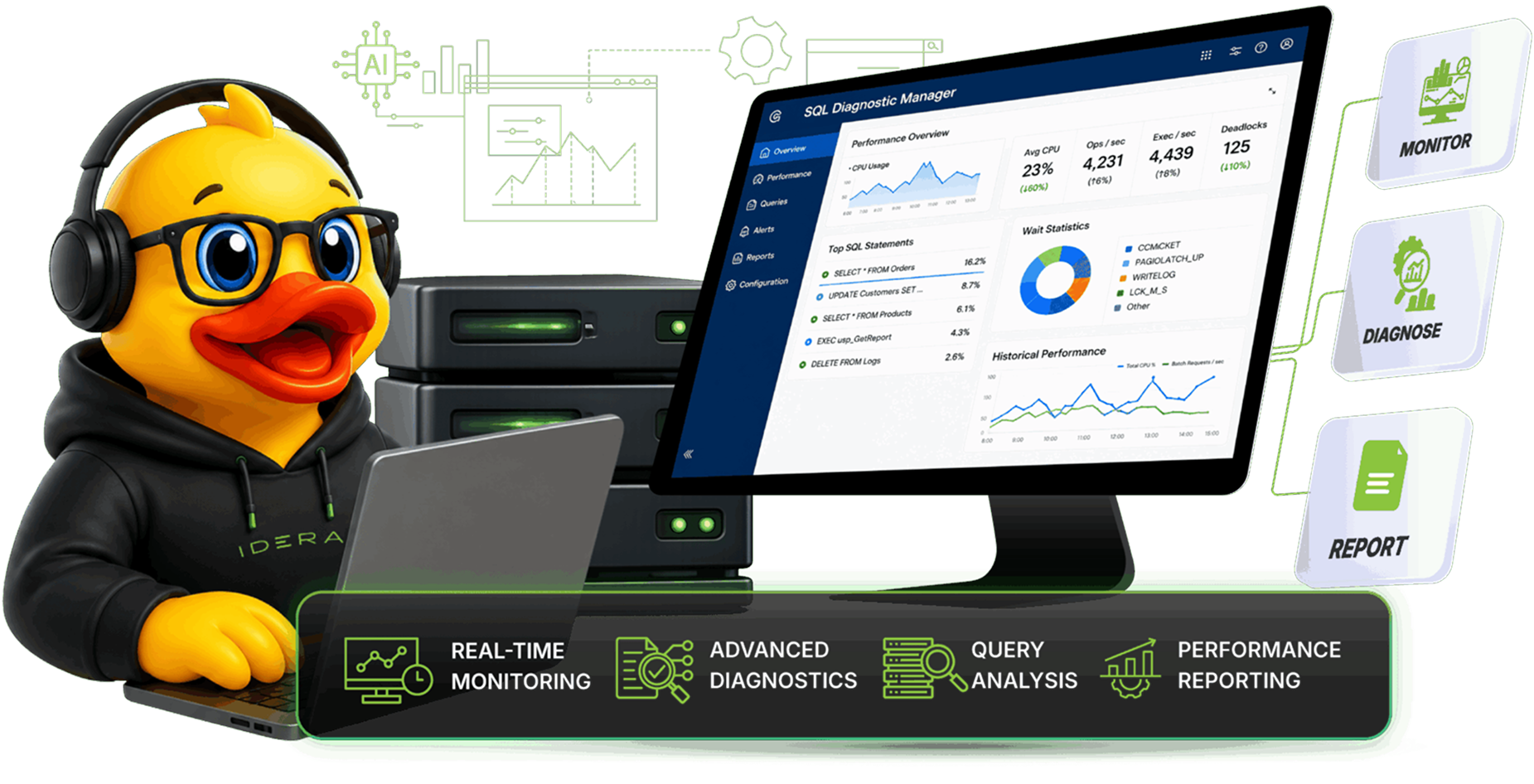

Why SQL Diagnostic Manager?
Your essential tool for SQL Server performance monitoring, now with AI-powered insights
Database performance affects the responsiveness of business-critical applications. Organizations that rely on databases can outperform the competition by ensuring that their databases are fast and reliable.
This tool enables database administrators to save considerable time, as it allows even those with limited experience to rapidly identify and resolve underlying issues. AI-powered analysis and intelligent recommendations help cut down troubleshooting from days or weeks to just seconds.
With SQL Diagnostic Manager, incidents can be quickly identified, fixed, and prevented, improving the overall efficiency of database administration
Features & Benefits
Unified SQL Performance Monitoring
Comprehensive monitoring solution with enterprise-grade features
Unified SQL Performance Monitoring

See Every Layer. Solve the Problem Faster.
SQL Diagnostic Manager delivers complete SQL Server performance monitoring – across on-prem, hybrid, and cloud – so DBAs can find the true cause of slowdowns in seconds.
 Query-level observability plan history, Query Store integration, execution comparison
- Deep SQL root-cause insight waits, blocking chains, deadlocks, TempDB pressure, I/O latency, and fragmentation
- Cross-tier visibility from SQL to OS, virtualization, storage, and cloud resources
- Agentless Architecture allows minimal overhead with full data collection
- AI Powered dB Performance Optimization – NEW
- AI vs Original Query Comparison Ability – NEW

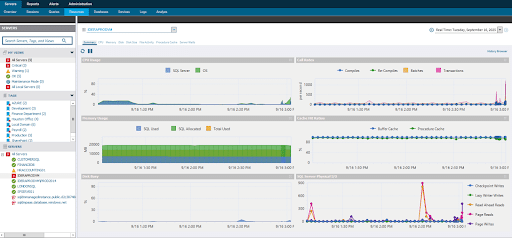
SQL Diagnostic Manager hardware resources allocation and usage console view.
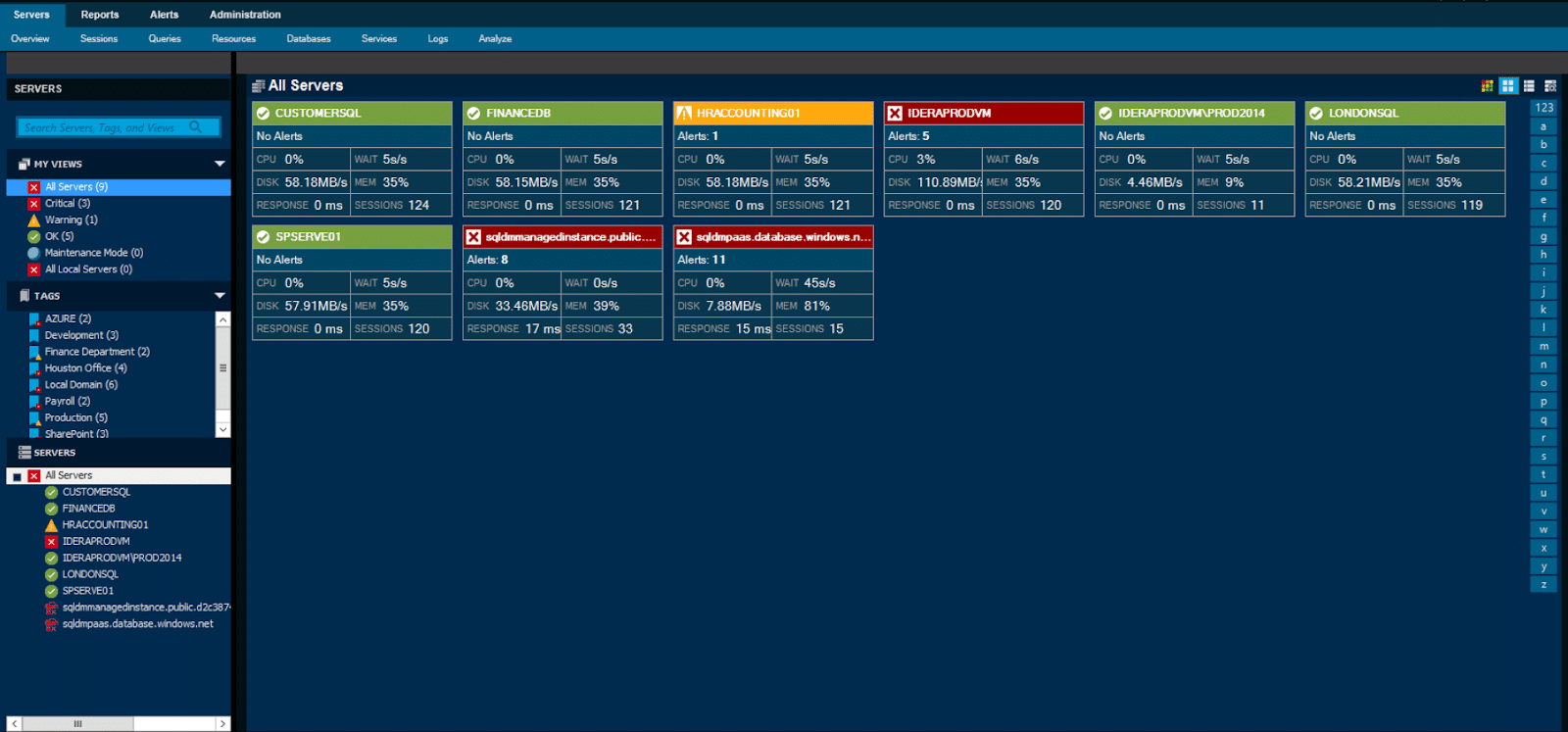
Enterprise Snapshot view, Dark Theme

Smarter Insights. Actionable Recommendations.
SQL Diagnostic Manager transforms raw performance data into prescriptive analytics and intelligent recommendations, helping DBAs tune SQL Server efficiently and consistently.
- Prescriptive tuning guidance for CPU, memory, I/O, TempDB, and query performance
- Fragmentation analysis with automatic recommendations
- Cost Observability with cloud tagging + optimization insights to control spend
- Replication monitoring and health scoring

Monitor, Analyze, and Retain Everything - On Your Terms.
SQL Diagnostic Manager offers data ownership, long-term retention, and comprehensive reporting for complete operational clarity and compliance-ready visibility.
- Customer-owned repository for multi-year SQL forensic analysis
- No ingest fees— predictable, per-instance pricing
- Comprehensive reporting suite out-of-the-box + fully customizable reports
- Web and thick client options for flexible enterprise workflows
- Scales across large SQL Server estates without performance impact
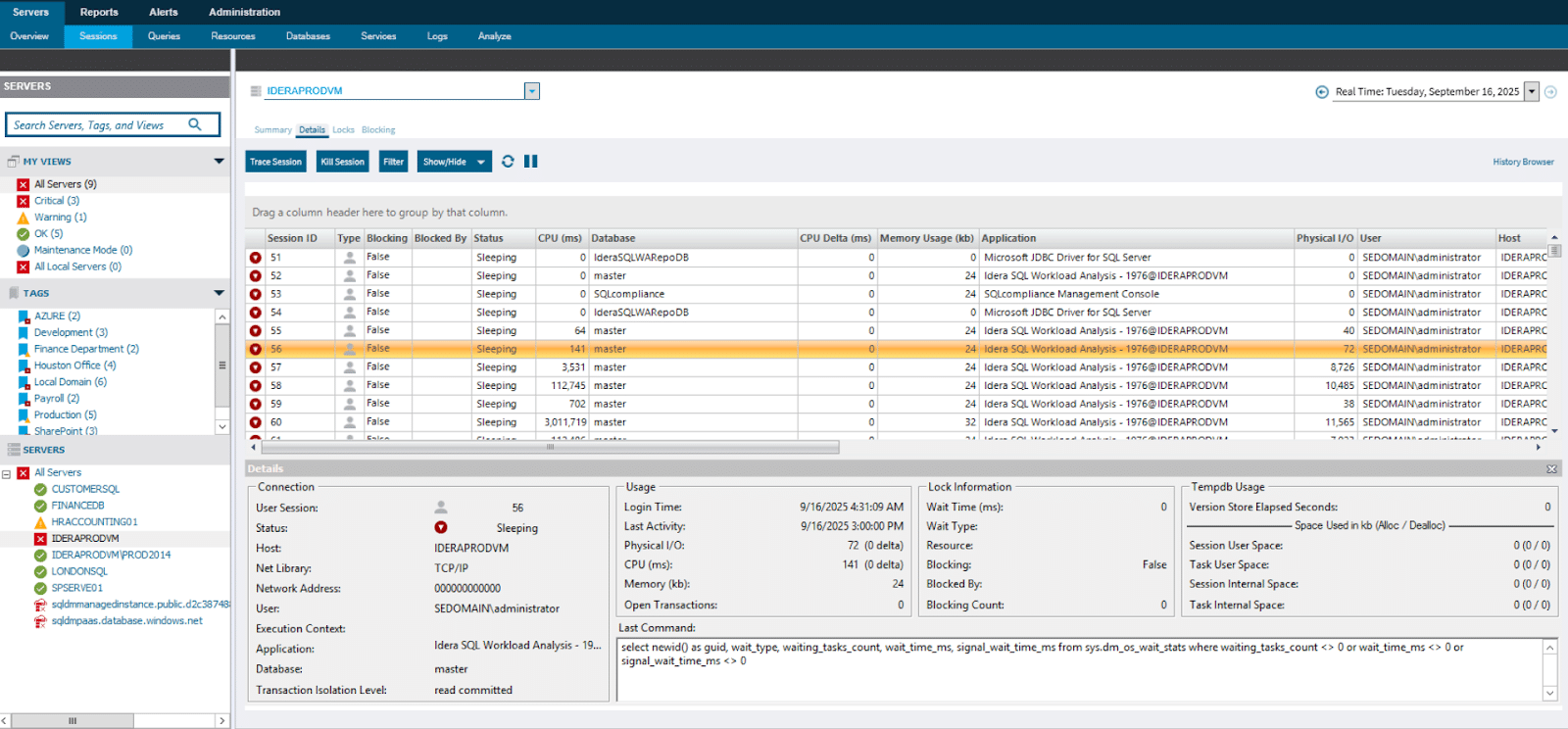
SQL Diagnostic Manager Session’s activity console view
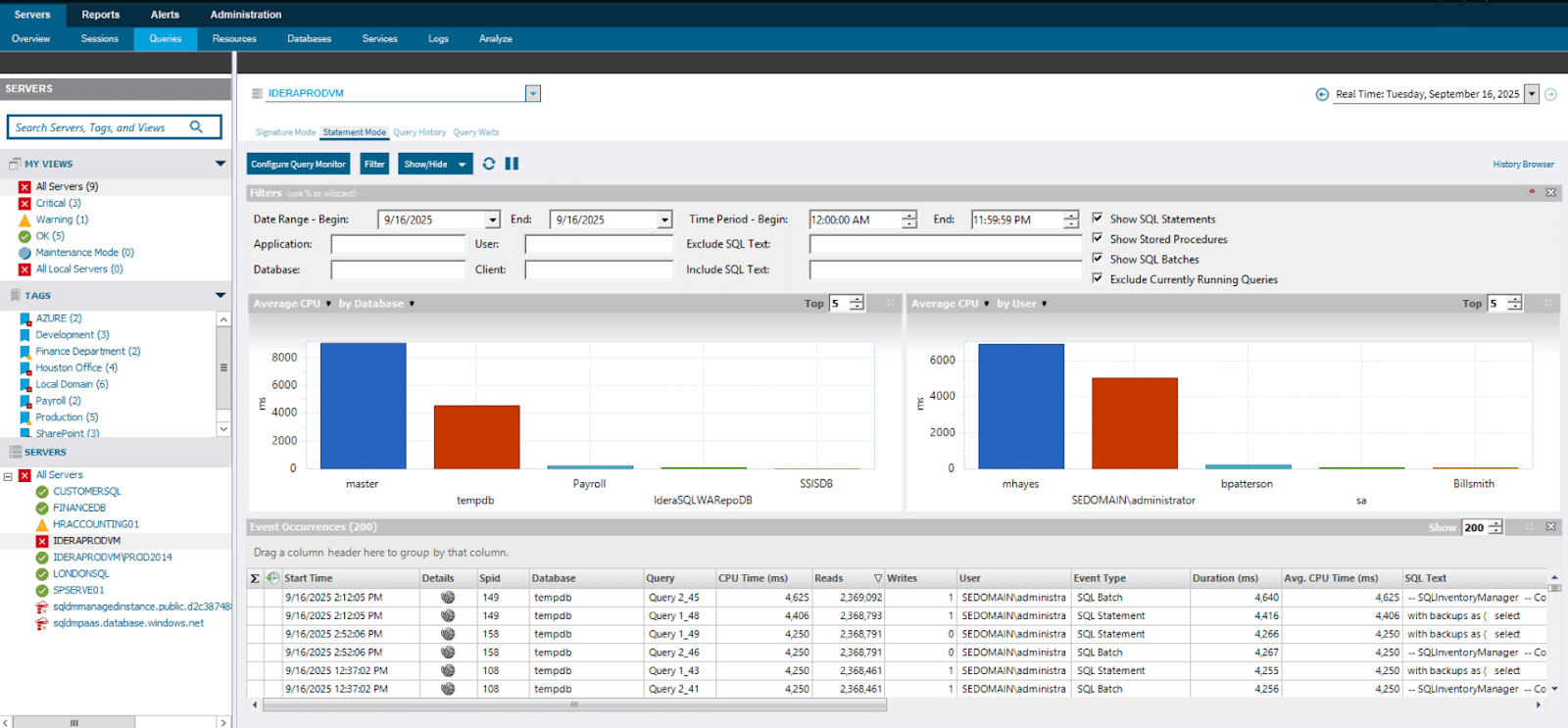
SQL Diagnostic Manager Query monitoring and analysis
Consistent SQL Server Monitoring Everywhere You Run SQL
SQL Diagnostic Manager brings full enterprise SQL server performance management to on-prem, cloud and hybrid environments without losing visibility or control – from Azure SQL DB, Azure MI, AWS RDS and GCP.
- Unified dashboards that normalize metrics across environments
- Cost monitoring with cloud tagging for budget alignment
- Works across VMs and Hyper-V—including guest OS performance
- Agentless, secure deployment ideal for hybrid architectures
Platform Capabilities
Comprehensive Database Monitoring Platform
Everything you need to monitor, secure, and optimize your SQL Server infrastructure

Deep SQL Root-Cause Analysis

Agentless, Low-Overhead Architecture

Hybrid & Cloud Ready Coverage

Owned Data & Long-Term Forensics

Intelligent Analytics & Recommendations
Turn monitoring into actionable performance tuning
 AI-assisted insights (planned SQL-aware guidance)
- Baselines with intelligent thresholding
- Baselines with intelligent thresholding
- Fragmentation analysis with fix recommendations
- Replication monitoring & health scoring

Outcome: Smarter tuning, reduced noise, and faster mean-time-to-diagnosis.
Turn monitoring into actionable performance tuning
- AI-assisted insights (planned SQL-aware guidance)
- Baselines with intelligent thresholding
- Baselines with intelligent thresholding
- Fragmentation analysis with fix recommendations
- Replication monitoring & health scoring
Outcome: Smarter tuning, reduced noise, and faster mean-time-to-diagnosis.
Turn monitoring into actionable performance tuning
- AI-assisted insights (planned SQL-aware guidance)
- Baselines with intelligent thresholding
- Baselines with intelligent thresholding
- Fragmentation analysis with fix recommendations
- Replication monitoring & health scoring
Outcome: Smarter tuning, reduced noise, and faster mean-time-to-diagnosis.
Turn monitoring into actionable performance tuning
- AI-assisted insights (planned SQL-aware guidance)
- Baselines with intelligent thresholding
- Baselines with intelligent thresholding
- Fragmentation analysis with fix recommendations
- Replication monitoring & health scoring
Outcome: Smarter tuning, reduced noise, and faster mean-time-to-diagnosis.
Turn monitoring into actionable performance tuning
- AI-assisted insights (planned SQL-aware guidance)
- Baselines with intelligent thresholding
- Baselines with intelligent thresholding
- Fragmentation analysis with fix recommendations
- Replication monitoring & health scoring
Outcome: Smarter tuning, reduced noise, and faster mean-time-to-diagnosis.
Testimonials
Loved by Database Professionals
SQL Diagnostic Manager provides in minutes information that would take the whole database administation team weeks to gather manually.
Rick Kelly
Senior Database Systems Engineer, National Organization for Research
SQL Diagnostic Manager makes our team more efficient and proactive. We rely on it to keep our SQL Server infrastructure healthy and our critical applications performing well.
Tom Sawyer
Senior Database Administrator, Franciscan Health
With SQL Diagnostic Manager, we realized significant productivity gains and cost savings, thanks to more granular alearting capabilities and faster troubleshooting of potential disastrous issues.
John Grover
Database Administrator, University of Notre Dame
50,218 users joined this month
Join 50,000+ Database Professionals
Start monitoring your SQL Server instances in minutes. Get instant insights, automated alerts, and peace of mind.
- Free 14-day trial
- No credit card required
- Setup in 5 minutes
Frequently Asked Questions
Everything you need to know about SQL Diagnostic Manager
What is SQL Server performance monitoring?
SQL Server monitoring allows enterprises and database administrators to stay apprised of the health and performance of a server. Monitoring consists of periodic snapshots of current performance, leveraged to quickly identify and pinpoint the root cause of any problems. Idera SQL Diagnostic Manager is a comprehensive SQL Server performance monitoring tool with the most robust diagnostics on the market.
What database performance monitoring tools are best?
The best database performance monitoring tools enable database administrators to take a proactive, rather than reactive, approach to server performance. Identifying potential warning signs before they impact performance is critical to overall server health, which is why Idera SQL Diagnostic Manager relies heavily on diagnostics, analytics, and alerts to help enterprises act quickly at the first sign of trouble. In addition, because there’s no one-size-fits-all database performance monitoring solution, the best tools — like Idera SQL Diagnostic Manager — are highly customizable to allow enterprises to build a solution that best fits their needs.
Does SQL Diagnostic Manager work for enterprise?
Yes. SQL Diagnostic Manager is built to meet the scale, complexity, and operational demands of enterprise environments. It provides a single-pane-of-glass view into SQL Server performance across on-premises, hybrid, and cloud deployments, giving teams consistent visibility no matter where databases run. Enterprise teams gain greater confidence in meeting organization-wide service-level agreements through reliable performance insights, while built-in analytics support smarter resource allocation and long-term capacity planning. The platform scales seamlessly from monitoring a handful of SQL Servers to thousands, and its flexible, cost-effective licensing model makes it well-suited for large, cloud-forward organizations.
Does SQL Diagnostic Manager work for teams?
Yes. SQL Diagnostic Manager is designed to support DBA teams and shared ownership models with fast deployment and intuitive configuration across the environment, including scripted silent installations that simplify rollout at scale. Teams gain clear, shared visibility into database availability, health, and performance, ensuring everyone works from the same source of truth. Built-in diagnostics help reduce mean time to resolution (MTTR) by quickly identifying the root cause of issues such as blocking, deadlocks, and resource contention. With detailed wait state analysis, teams can easily pinpoint query bottlenecks and focus their efforts on the problems that have the greatest impact on performance.
Does SQL Diagnostic Manager work for single users?
Yes. SQL Diagnostic Manager is well-suited for individual DBAs who need powerful insight without added complexity. An intuitive overview dashboard makes it easy to explore performance data and quickly uncover root causes without jumping between tools. Out-of-the-box alert thresholds based on SQL Server best practices remove the guesswork from monitoring, while adaptive baselines learn what “normal” looks like in your environment to reduce noise and false positives. Automated alert response rules help single users save time by triggering corrective actions automatically, and prescriptive analysis provides expert recommendations—often with executable scripts—so you can resolve issues faster and with greater confidence.
How do I analyze SQL query performance?
Slow-running queries are one of the most common and troublesome pain points for enterprises dealing with large quantities of data, and they’re frequently one of the problems these organizations are most eager to solve with improved SQL Server monitoring. That’s why SQL Diagnostic Manager can be upgraded with SQL Query Tuner, a best-in-class tool specifically designed to target and alleviate this pain point for faster, more efficient queries.
How can you monitor database performance?
There are numerous ways to track database performance, but not all are built equally. Databases are increasingly critical to enterprises’ most important business functions, and as the volume and complexity of data continues to grow, it’s more important than ever to rely on a robust, functional, and advanced database monitoring tool like Idera SQL Diagnostic Manager
What are the most important metrics for SQL Server performance monitoring?
While there are countless SQL Server metrics that serve as indicators of performance and overall health, most enterprise organizations rely on a handful of KPIs to take the temperature of their database. Some of these metrics include page reads/min, cache hit ratio, top queries by CPU and I/O, average lock wait time, and number of virtual log files, though a comprehensive tool like SQL Diagnostic Manager will allow you to stay apprised of any metric your enterprise deems important to operations.
Where can I learn more detailed information about the new AI Powered capabilities of SQL Diagnostic Manager?
For a more comprehensive overview of the AI capabilities of SQL Diagnostic Manager, visit the AI FAQs and Information page
Still have questions?
Ready to Transform Your Database Monitoring?
- 14-day free trial with full access
- No credit card required
- Setup in under 5 minutes
- Cancel anytime, no questions asked
Already a customer and looking to upgrade?
Get the latest version here.