















SQL Safe BACKUP
Protect SQL Server Data with Fast, Automated Backups
Safeguard data with reliable backup and instant recovery solutions for SQL Server environments, including Azure Blob and Amazon S3, minimizing downtime and data loss.
Why SQL Safe Backup?
Database administrators need a reliable and efficient SQL Server backup and recovery solution to ensure business continuity and minimize downtime. SQL Safe Backup dramatically reduces backup and recovery times while optimizing storage through dynamic compression and encryption, keeping your SQL Server environment secure and efficient.
Managing SQL Server backups at scale presents numerous challenges, including:
- Long backup and recovery times impacting availability
- High storage costs due to inefficient backup compression
- Complex management of backups across multiple SQL Servers
- Risk of data loss from failed or incomplete backups
- Ensuring compliance with organizational and regulatory policies
SQL Safe Backup is the enterprise-grade solution that simplifies SQL Server backup and recovery, allowing DBAs to back up, restore, and instantly recover databases with minimal effort. With policy-based management, advanced recovery options, and automated safeguards against network failures, SQL Safe Backup ensures that critical data is always protected and available when you need it most.
SQL Safe Backup Features and Benefits
Backup & Recovery
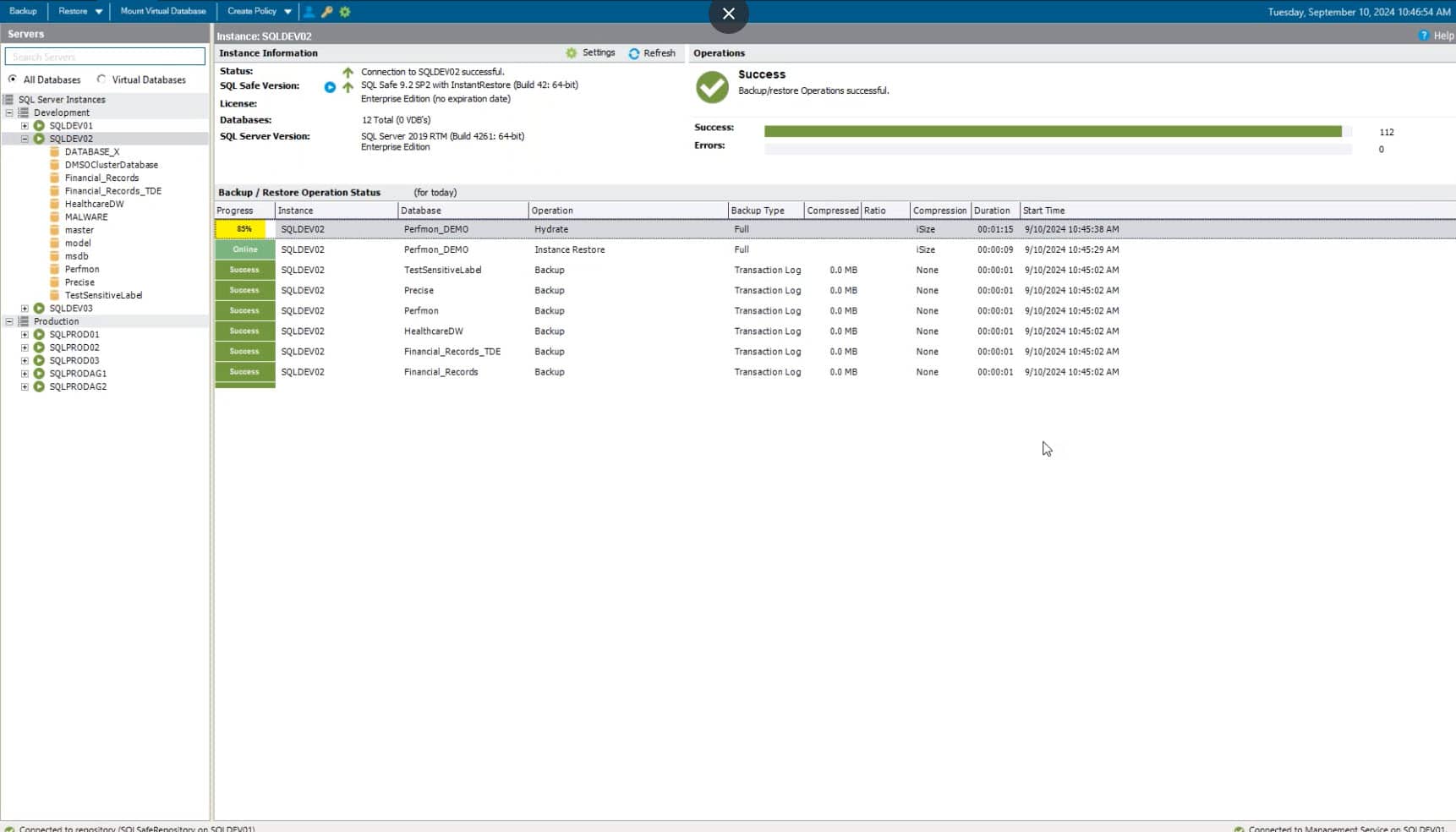
- ✓ Accelerate backups with advanced compression, disk writing, and multi-threading technologies to maximize efficiency.
- ✓ Restore databases instantly, bringing them online immediately while streaming data in the background to minimize downtime.
- ✓ Recover databases from any point in time using an intuitive sliding time scale that automatically assembles all necessary backup components.
- ✓ Ensure seamless backups and restores with automated compression adjustments, preferred Availability Group replica backups, and network failure recovery.
Security & Storage
- ✓ Protect backups with 128-bit and 256-bit AES encryption, ensuring data security with minimal performance impact.
- ✓ Store and restore backups from AWS S3 and Microsoft Azure Blob Storage for seamless cloud integration.
- ✓ Reduce risk with mirrored backups, automatically writing duplicate files to multiple locations during a single operation.
- ✓ Integrate with enterprise storage solutions like EMC Data Domain and IBM TSM to meet corporate data retention policies.
Enterprise Management
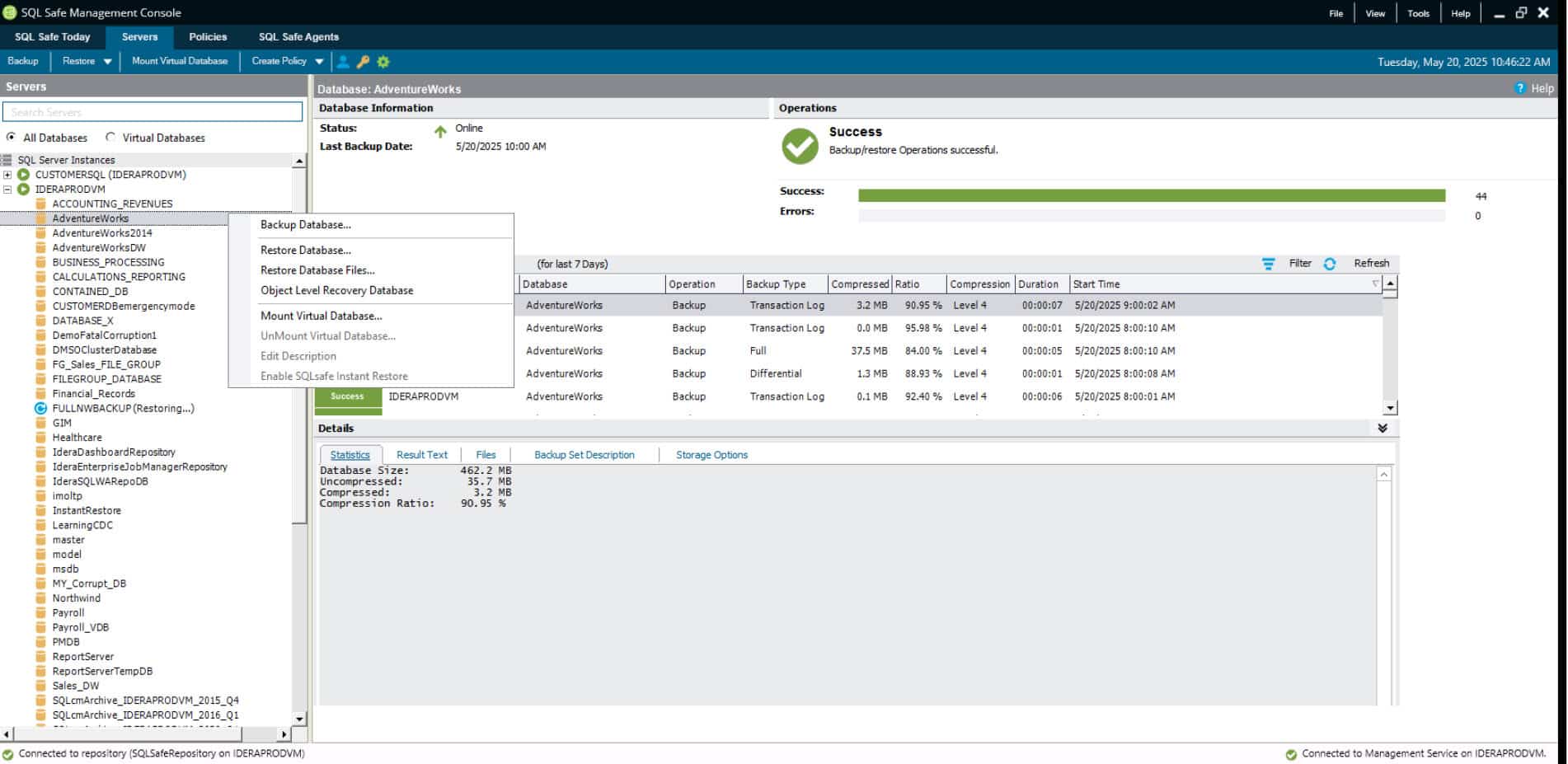
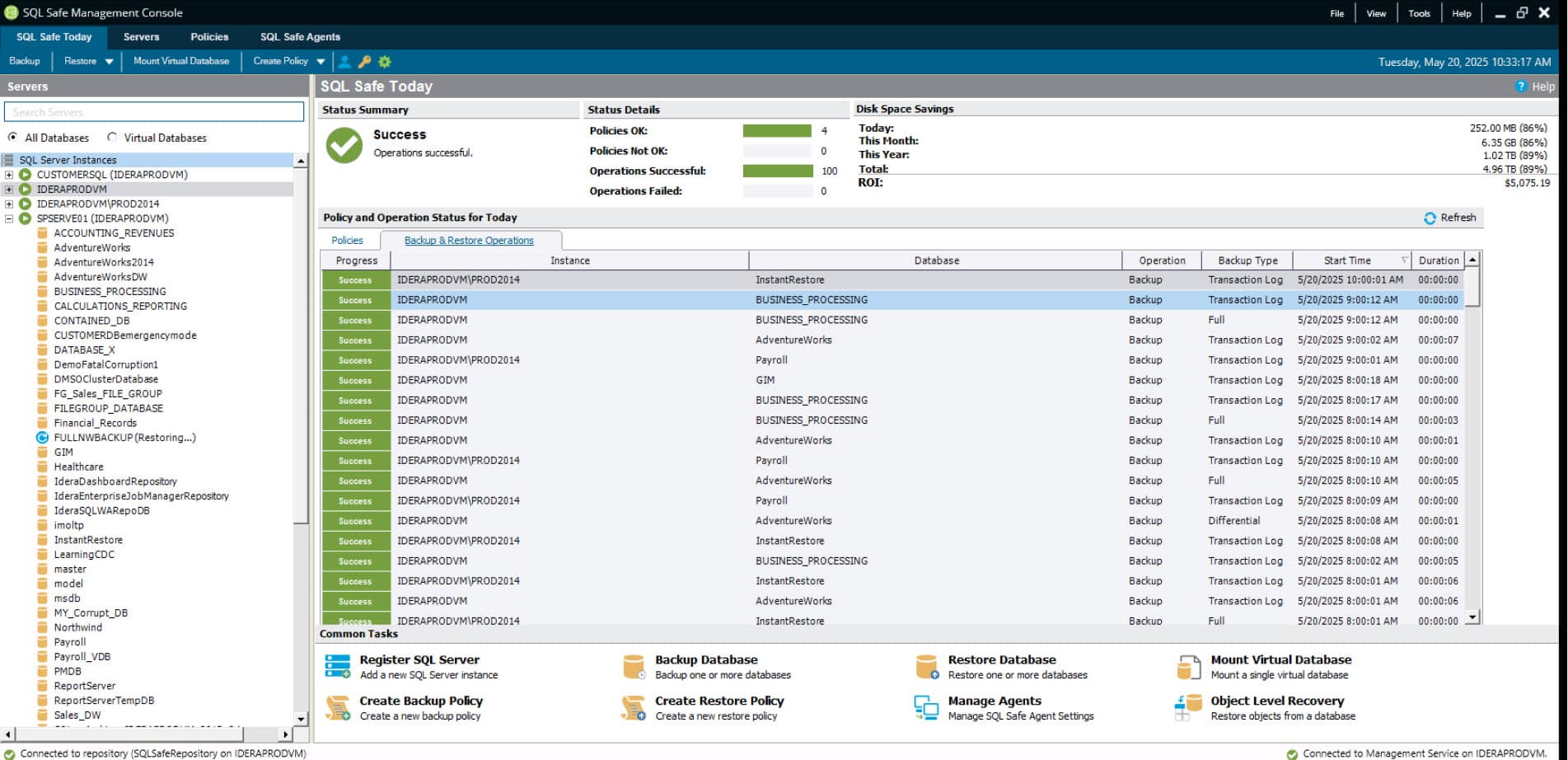
- ✓ Automate backup, restore, and log shipping with policy-based management across multiple databases and servers.
- ✓ Centralize backup and restore history in a single repository for auditing and enterprise-wide visibility.
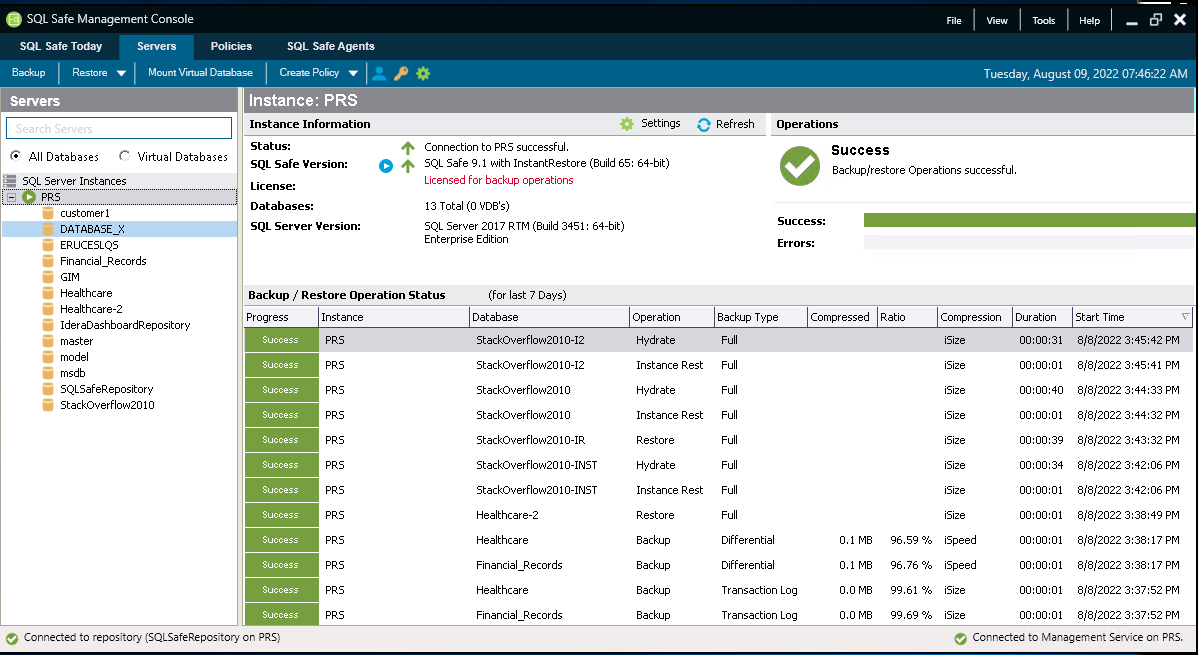
- ✓ Monitor backups and restores in real time with a unified console, customizable alerts, and detailed reports.
- ✓ Scale effortlessly with growing SQL Server environments using flexible deployment and management options.
Virtual Database
- ✓ Instantly access data from backup files without the time or storage needed for a full restore.
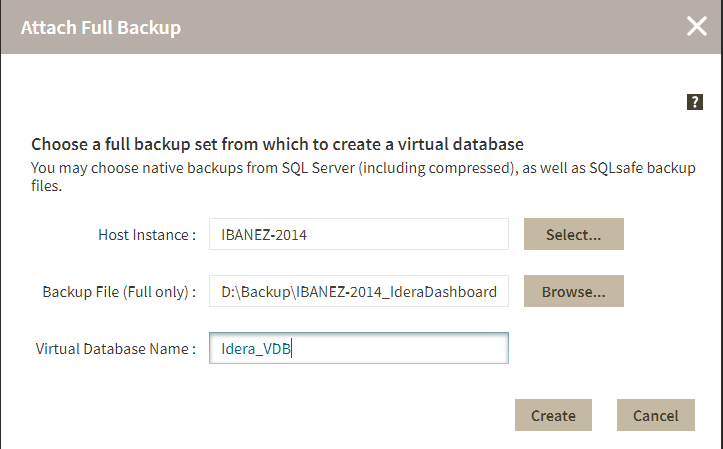
- ✓ Attach full backups as virtual databases that appear and function like live databases in SSMS.
- ✓ Read, write, and execute queries on virtual databases just like physical databases, including inserts, updates, and DBCC commands.
- ✓ Analyze changes over time by attaching multiple backups to compare added, modified, or deleted data.
Cloud
- ✓ Run SQL Safe Backup on cloud virtual machines, including Amazon EC2 and Azure Virtual Machines.
- ✓ Back up and restore SQL Server instances running in cloud environments with seamless integration.
- ✓ Store and retrieve backups directly from Amazon S3, Azure Blob Storage, and mapped cloud drives.
- ✓ Manage hybrid environments with a single tool, supporting on-premises, virtual, and cloud databases.
Download a 14-day Free Trial!
Auditing is made easy with SQL Safe Backup. Get a two-week, fully functional free trial and put SQL Safe Backup to work for your organization.
SQL Safe Backup Works For…
Enterprise
- ✓ Centralized management and policy-based automation for large-scale SQL Server environments.
- ✓ Faster backup and recovery to minimize downtime and ensure business continuity.
- ✓ Optimized storage with advanced compression and encryption for cost-effective data retention.
- ✓ Seamless integration with cloud and enterprise storage solutions for hybrid environments.
- ✓ Scalable architecture to support hundreds or thousands of SQL Server instances.
Teams
- ✓ Easy deployment and configuration across multiple servers with automated backup policies.
- ✓ Real-time monitoring and alerts for backup failures, warnings, and successes.
- ✓ Secure, role-based access control to manage team collaboration and compliance.
- ✓ Flexible restore options, including point-in-time recovery and instant database availability.
- ✓ Single-console visibility into backup status, history, and storage utilization.
Single Users
- ✓ Intuitive dashboard for quick access to backup and restore operations.
- ✓ Simple, three-step virtual database creation for instant data access without full restores.
- ✓ Lightweight, low-impact backups that don’t interfere with SQL Server performance.
- ✓ Direct cloud backup support for Amazon S3, Azure Blob Storage, and mapped cloud drives.
- ✓ Customizable alerts and detailed reports for better insight into backup processes.