















SQL Admin Toolset
24 Powerful Desktop Tools to Simplify SQL Server Administration
24 Time-Saving Desktop Tools for SQL Server to Simplify Routine Admin and Troubleshooting Tasks

Why SQL Admin Toolset?
SQL Admin Toolset empowers Database Administrators (DBAs) to simplify and accelerate routine SQL Server administration. With 24 powerful desktop tools, it reduces the time spent on repetitive tasks, minimizes manual errors, and boosts overall productivity—so DBAs can shift their focus to higher-impact initiatives.
Managing SQL Server environments efficiently can be challenging:
- Time-consuming repetitive tasks across multiple instances
- Limited automation for common troubleshooting and diagnostics
- Complexity in managing and migrating SQL Server environments
- Lack of centralized tools to streamline administration
- Increased risk of human error in manual operations
SQL Admin Toolset offers a practical and efficient solution for managing SQL Server environments of all sizes. Whether you’re troubleshooting issues, comparing server settings, or performing health checks, the toolset delivers the speed and simplicity DBAs need—all from a single desktop interface with deployment flexibility that can be installed on any Windows machine- whether local or hosted in a cloud VM. Connecting securely to on-prem or cloud hosted SQL Servers, wherever they reside.
SQL Admin Toolset Features and Benefits
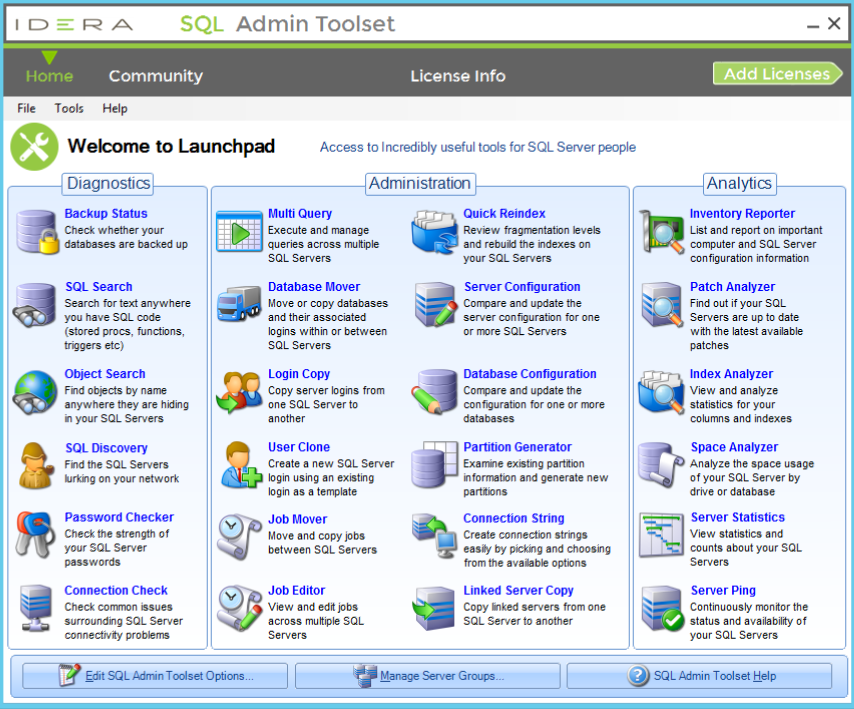
Administration & Maintenance
- ✓ Analyze and rebuild fragmented indexes to improve query performance
- ✓ View, edit and administer SQL Server Agent jobs across multi-instances
- ✓ Migrate databases between servers while maintaining key configurations
- ✓ Clone users and synchronize logins across instances to maintain consistent access control
- ✓ View and export all SQL Server logins and associated server-level roles
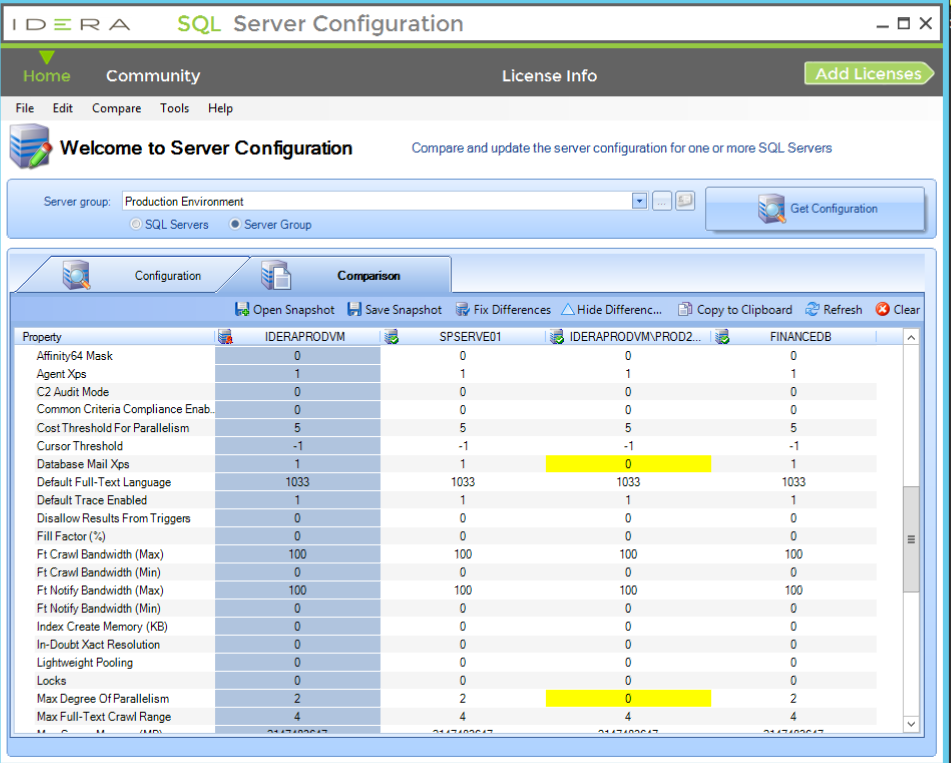
- ✓ Compare SQL Server settings across environments to enforce consistency
- ✓ Search database objects by name or text to quickly find stored procedures, functions and more
- ✓ Access a curated collection of prebuilt PowerShell scripts for common SQL Server tasks
Inventory & Reporting
- ✓ Generate detailed inventory and configuration reports across your SQL Server environment
- ✓ Identify patch gaps and version inconsistencies across SQL Server instances
- ✓ Scan the network to locate all SQL Server instances, including those unmanaged or undocumented
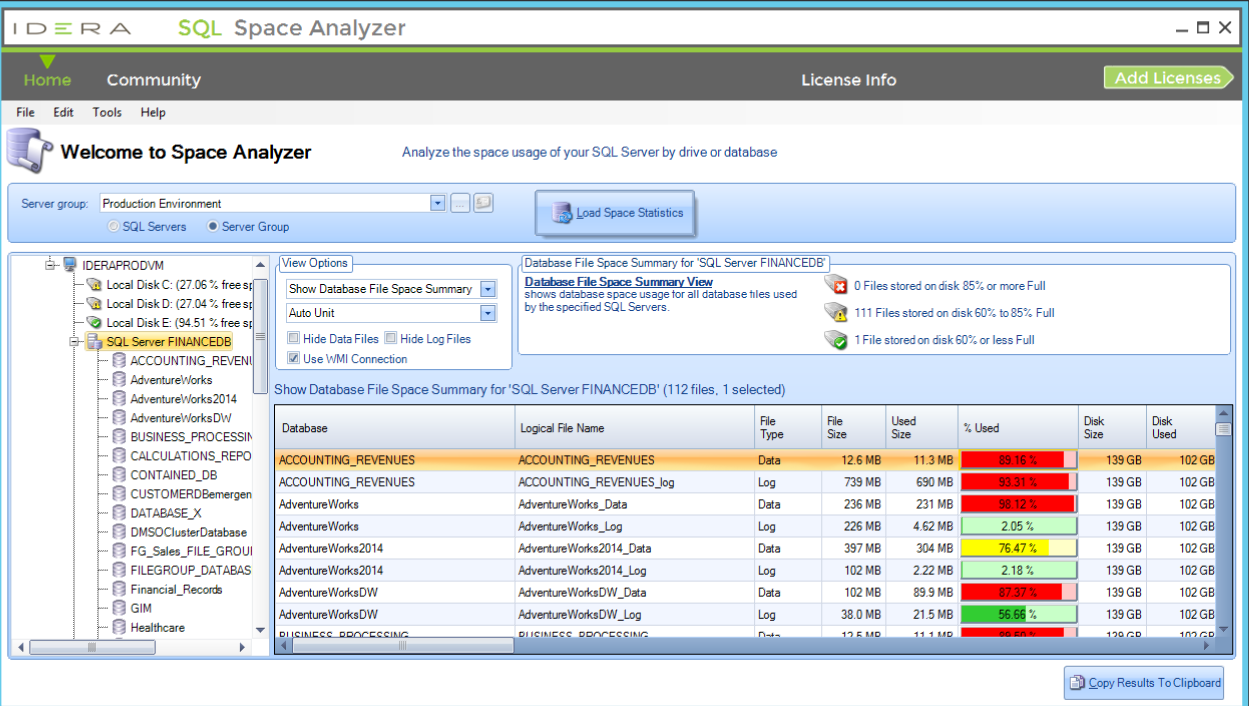
- ✓ Track disk usage and identify storage bottlenecks on SQL Servers and drives
- ✓ View and document database-level user permissions for auditing and access reviews
Performance & Optimization
- ✓ Analyze index usage and identify underutilized or missing indexes for better performance
- ✓ Rebuild or reorganize indexes to improve performance based on fragmentation level
- ✓ Capture real-time server statistics for CPU, memory and disk to assess instance health
- ✓ Review basic server availability with continuous ping checks and alerts on failures
Security & Access
- ✓ Clone users and replicate logins to maintain synchronized security across servers
- ✓ Export login and role data to track access rights at the server level
- ✓ Audit and document user permissions at the database level to support compliance needs
Download a 14-day Free Trial!
Auditing is made easy with SQL Admin Toolset. Get a two-week, fully functional free trial and put SQL Safe to work for your organization.