















Database Index Defragmentation
for SQL Server
SQL Defrag Manager

Automatically Find and Fix
SQL Fragmentation
Database administrators for SQL Server need to maintain the high availability and performance of their databases. Key areas that dramatically affect the performance of SQL Server are indexes that are fragmented and out of cluster. SQL Defrag Manager is a unique solution for defragmenting indexes for SQL Server. It automates the time-consuming process of finding fragmented indexes based on policies for the targeted databases.
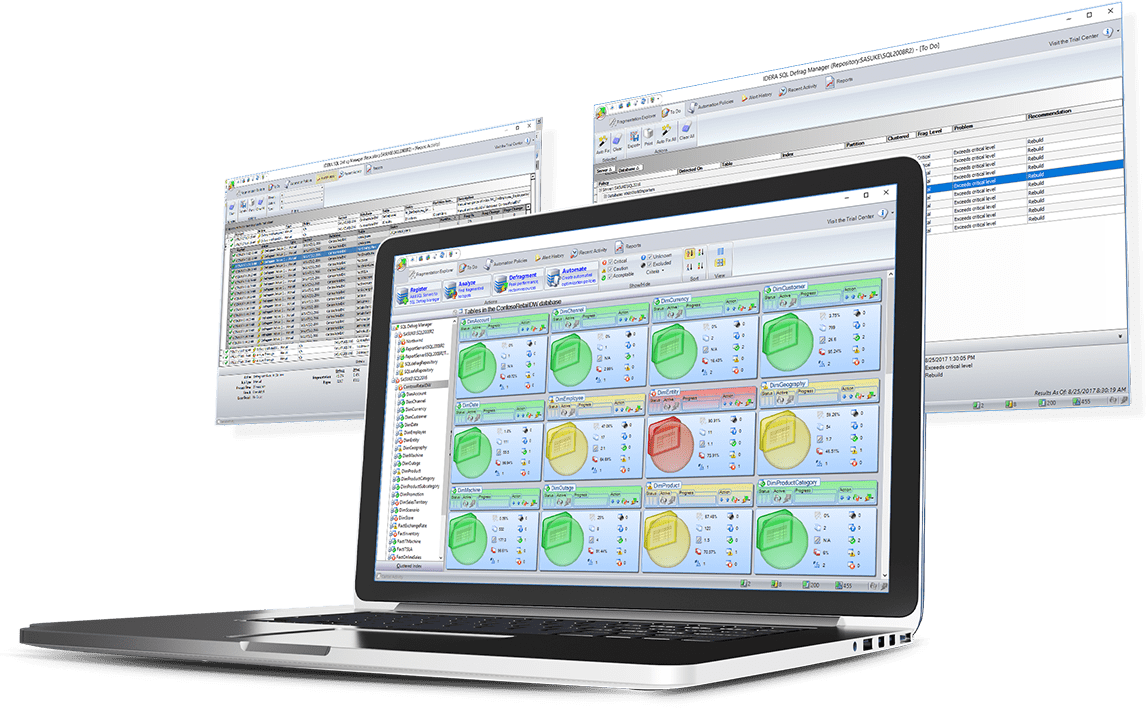
- Automate the identification of index fragmentation hot spots.
- Defragment on-demand and via schedules.
- Receive email notifications for policy and resource check exceptions.
- Use a centralized dashboard and detailed reporting.


-
Customize How You Approach
Defragmentation
Trigger defragmentation of database indexes by fragmentation percentage and scan density. Prioritize defragmentation by fragmentation level, scan density, and index size.
-
Manage Policies for
Database Index Defragmentation
Apply policies for defragmentation of database indexes at level of instances, database, and indexes. Apply the same policy to multiple objects at simultaneously.
-
Manage Index Settings to Control
SQL Server Index Fill Factor
Specify how much free space SQL Server should leave on the index page via settings for fill factor to limit page splitting and shifting.
-
Check System Resources Before You
Schedule Defragmentation
Ascertain utilization of critical system resources before starting defragmentation to delay, prevent, or run as scheduled.
-
Notify via Email with a
Alert Threshold
When resource check detects that the metric exceeds user-defined threshold before executing the defragmentation of database indexes, it sends an email alert.
-
View Detailed Metrics on
Database Fragmentation
View detailed information such as fragmentation percentage, index and table size, free memory, page density, rate of increase of fragmentation, and more.
-
Report Comprehensively on
Fragmented Data
Access built-in reports that target technical and managerial audiences. Report on worst fragmented instances, databases, tables and indexes, and more.
-
Track Improvement For
SQL Index Defragmentation
Reclaim resources from defragmentation of database indexes and track total improvement on every object in SQL Server environment daily or over year.
-
Centrally Manage, Report, and Notify on
Index Fragmentation
The central console enables rapid configuration as well as real-time monitoring of activity. It makes it easy to manage and track fragmentation over a large number of instances.
-
Discover Indexes Dynamically to
Check Index Fragmentation
As databases, tables, and indexes are created or deleted over time, automatically add new objects and drop deleted objects.
-
Keep Overhead Low
Agentless Fragmentation Monitoring
Collect fragmentation details intelligently based on customizable automation policies. Run agentless and quietly in the background as service.
-
Install Quickly and use Easily
SQL Defrag Manager Setup
Complete typical installation and configuration in minutes. Support mixed environment of Windows integrated security and SQL Server native security.
-
Install on Cloud Virtual Machines to
Monitor SQL Index Fragmentation
Unify your control by running SQL Defrag Manager on cloud virtual machines—such as Azure Virtual Machine (VM) and Amazon Elastic Compute Cloud (EC2).
-
Monitor SQL Server on
Cloud Virtual Machines
Monitor your SQL Server instances running on cloud virtual machines—such as Azure VM and Amazon EC2.
-
Monitor Hybrid Environments with a Single
Defragmentation Tool
Save time by using the same monitoring tool for SQL Server databases on-premises (on your physical and virtual machines); and in private, public, and government cloud (on virtual machines).
-
Access Mapped Cloud Drives
Defragmentation with Cloud Storage
Get most out of cloud with cloud storage that is mapped as network drives or removable drives on Windows with SQL Defrag Manager. For example, map storage to Amazon Simple Storage Service (S3) and Azure Blob Storage.
Let’s get started.
Start your 14-day trial, no credit card required (but all fields are).
Commercial licenses are not supported with this trial download. To update to the latest version, please access IDERA’s customer support portal.
Already a customer and looking to upgrade?
Get the latest version here.
Ready to see how SQL Defrag Manager can help you monitor and manage SQL Server security on-premises and in the cloud?

SQL Defrag Manager
Datasheet
Everything you need to know, all in one downloadable PDF

SQL Defrag Manager
Overview
See how an IT consulting firm tuned SQL Server with SQL Doctor

Why Use SQL
Defrag Manager?
Learn about its automated analysis, intelligent remediation, continuous improvement, centralized management, granular retrospective analysis, and more.

What Is Fragmentation?
Learn about fragmentation, the different types, how to defragment, how to compact data, and about interleaved indexes.

SQL Server Indexing
Tips and Tricks
Dave Walden presents the different types of indexes, index statistics, how to use indexes to improve queries, and more.
SQL Server Fragmentation
Explained
Learn about the detailed mechanics behind fragmentation and how defragment to improve performance